Why did a change fail to save?
A change you made couldn't reach Zaras, so it isn't saved yet. Zaras keeps it until you press Retry or Discard.
Retry or discard a change
On the web:
- At the sidebar's bottom, press the checklist button by "2 need attention".
- Press Retry or Discard on the change.
In the Zaras app:
- Tap the top strip, such as "2 changes couldn't be saved".
- Tap Retry or Discard on the change.
What you see
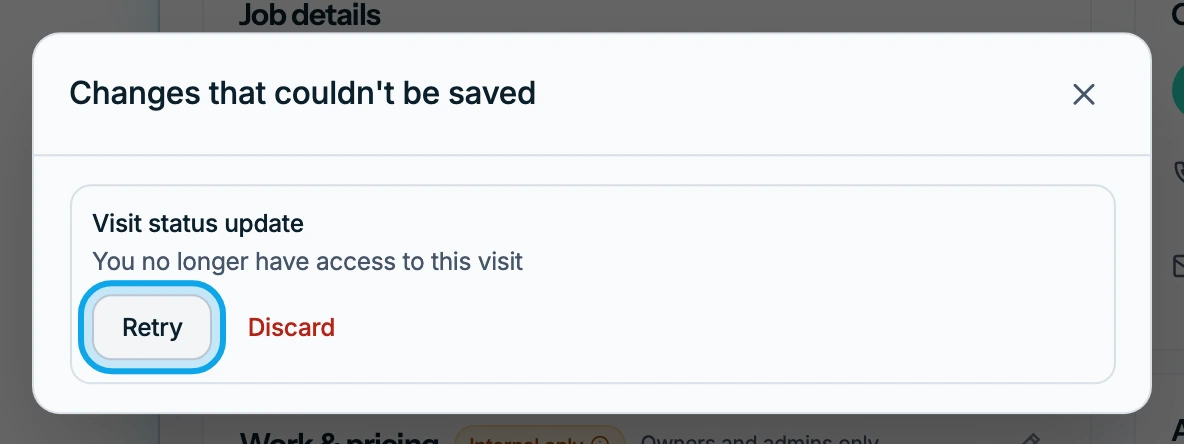
Changes that couldn't be saved lists each change, such as Visit status update, and why it failed. A discarded change is never sent, and there is no undo.
What each reason means
- Someone else completed this visit first: the visit is done, so discard yours.
- You no longer have access to this visit: discard it, or retry once you can open the visit again.
- Not sent because an earlier step failed: settle the earlier change first.
- The server refused it: retry once, then get help from Zaras if it fails again.
This visit changed while you were offline
Someone edited the visit before your change arrived. Press Open, or tap it in the app, to see the job as it is now. Retry puts your change over theirs, so check first.
Who can do this
Every member can retry or discard the changes their own device holds. No permission is needed.