Record a payment
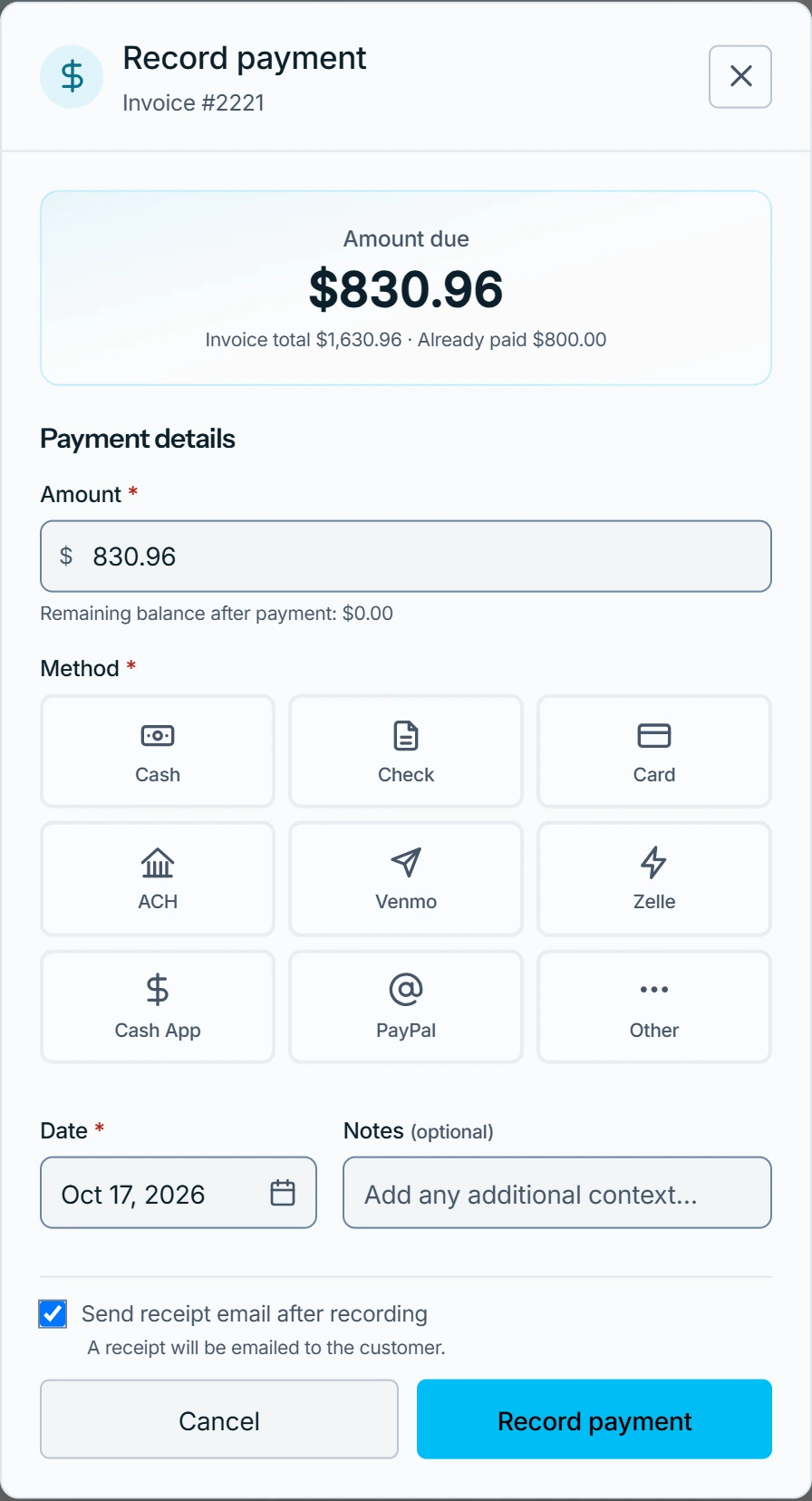
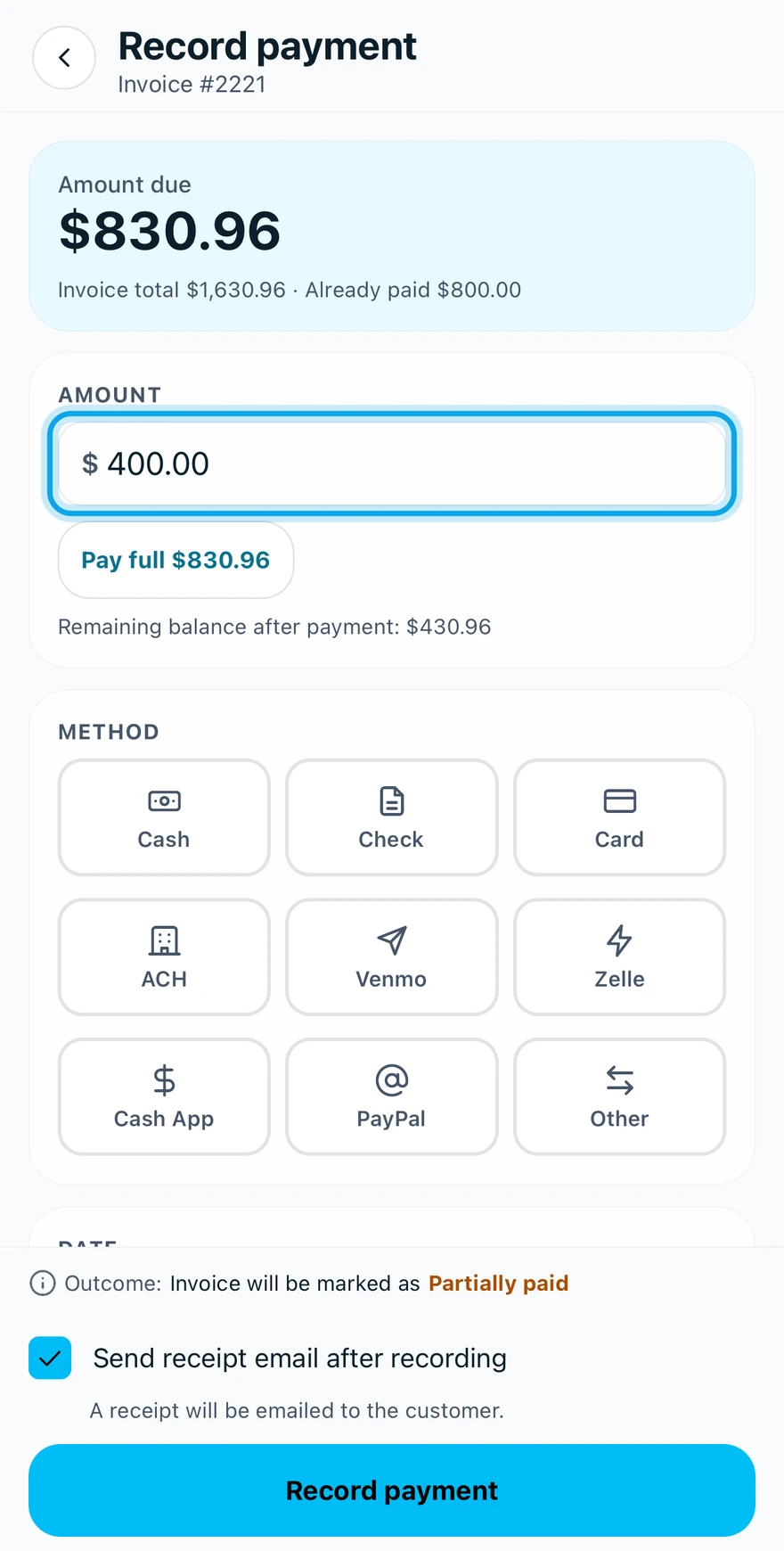
Open the invoice, press Record payment, and enter the amount and method. Recording logs money you received. It charges no card.
Record a payment
- Press Record payment on the invoice, or tap it in the Zaras app.
- Enter the Amount: the full balance, or less for a partial payment.
- Pick the Method, such as Cash, Check, Card or ACH.
- Set the Date, and add Notes if you like.
- Tick Send receipt email after recording to email a receipt.
- Press Record payment at the bottom.
What you see
Invoice will be marked as shows Paid or Partially paid before you save. Afterwards the payment appears on the invoice's Payments card. Offline, the app queues it and syncs later.
Card here only logs a card you ran yourself. Card payments taken online are recorded for you: take online payments.
The amount is refused
Amount cannot exceed the balance due. Lower it to the balance. A check also needs its Check #, and Other asks for a Type.
Who can do this
Recording needs Manage invoices. Owners, admins, office and technicians hold it by default. Others ask an owner or admin under Settings → Team & roles → Roles.