Run the whole job in one app.
Your office sends the estimate, your crew adds the photos and the customer pays, all on one job.
14 days free, no card.


Accepted on the customer's phone
One furnace job in four screens.
A furnace replacement, from the estimate to the payment. These are the screens your team works in.
Estimate
Send an estimate the customer can accept.
Build it from your price book and send it. The customer accepts or declines from the link.
- Not accepted yet? The customer gets a reminder 2 and 5 days after you send it.
- Once accepted, press Create job to turn it into a job.

Schedule
Put the visit on the calendar.
Assign the visit to the techs who will do the work. The office calendar and the tech's schedule are one schedule.
- The customer gets a confirmation with a calendar invite, and a reminder the evening before.
- Move a visit and the tech gets a notification.

On site
Keep notes and photos with the job.
The crew opens the job on their phone and your instructions are at the top. Their photos come back to the same job.
- Tap On my way and the customer gets an email with your arrival time.
- Photos taken with no signal are saved and sent later.

Paid
Create the invoice and get paid.
Create the invoice from the finished job, and the line items come across.
- The customer pays by card from the emailed invoice, into your own Stripe account.
- The customer gets a thank-you when the job is done, and a link to review you the next morning.

A closer look at the app.
Every picture is a real screen of the app, with sample data.
Profit
Each job adds up its price and its costs, so you can see what it earns.
- Price, cost and profit stand on one bar with the margin, $2,536.50 at 30.2% on the furnace replacement.
- Every cost behind it is listed underneath, and hours still waiting for approval stand apart.
- Only the roles you choose see these figures, through the cost and profit permission.
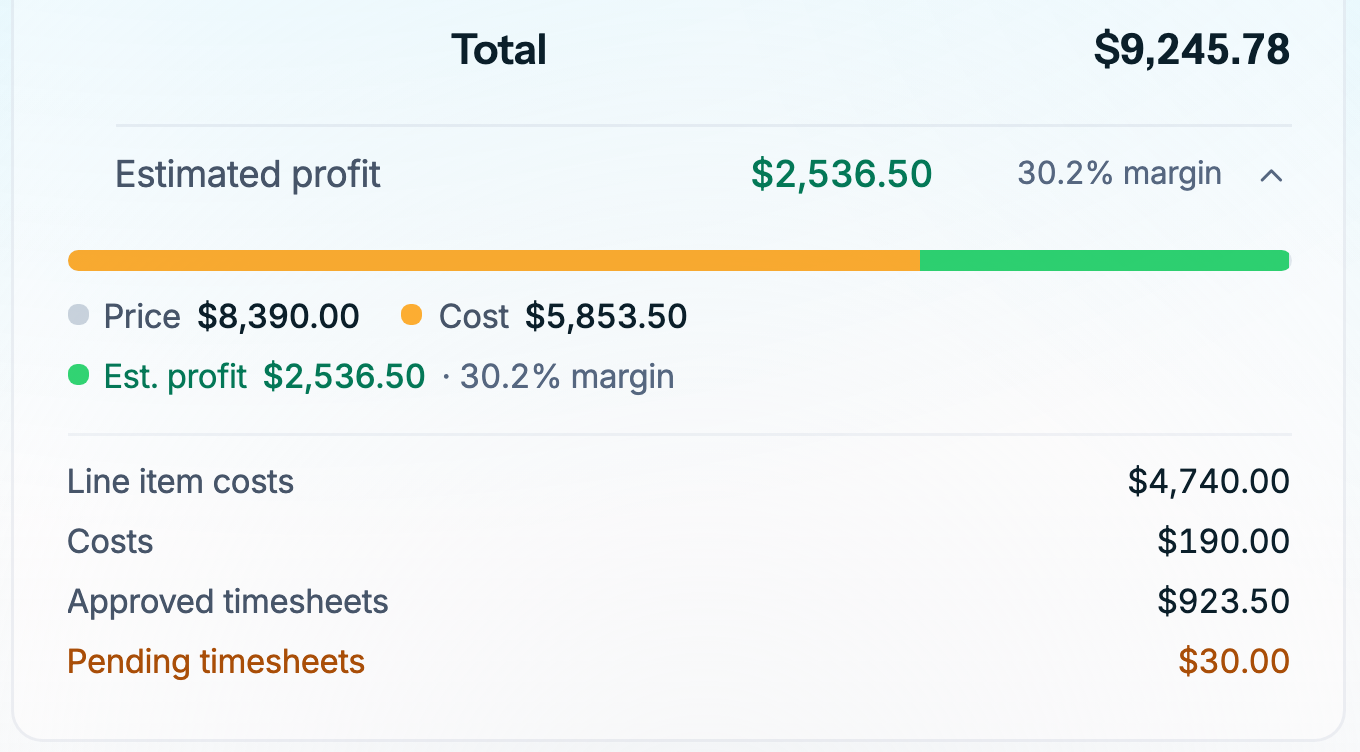
The job's estimated profit on the web 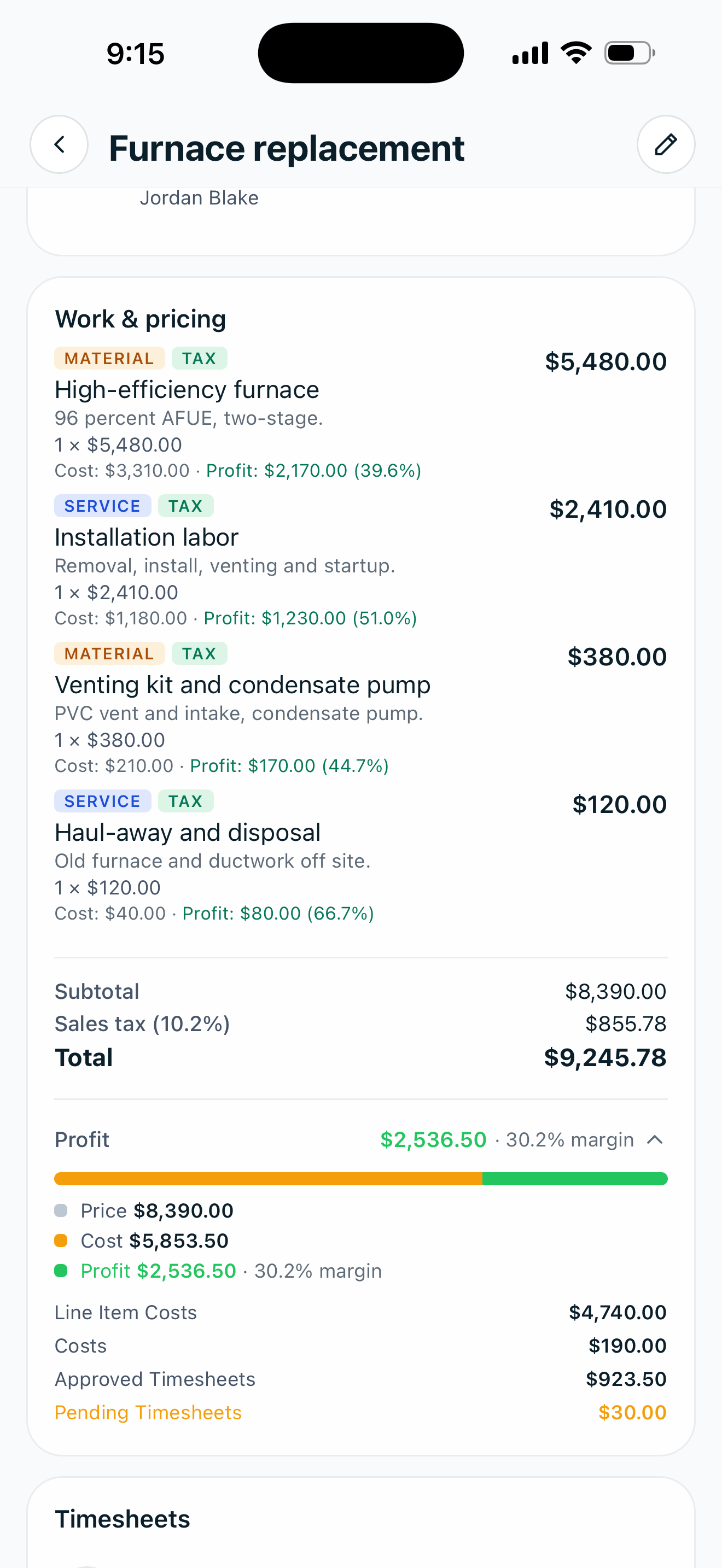
The same job in the app 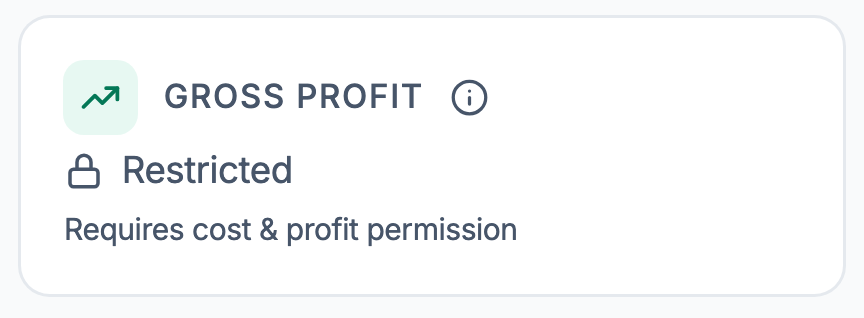
Without the cost and profit permission, gross profit reads Restricted. Customer notifications
Zaras emails your customers at the usual moments of a job, and each email is yours to turn off.
- A switch for each email, such as the visit confirmation, the visit reminder and the thank-you after a job.
- Each row says when it goes out, such as 2 and 5 days after sending or the day before at 5:00 PM.
- One reminder send time sets the hour for estimate and invoice reminders and review requests.
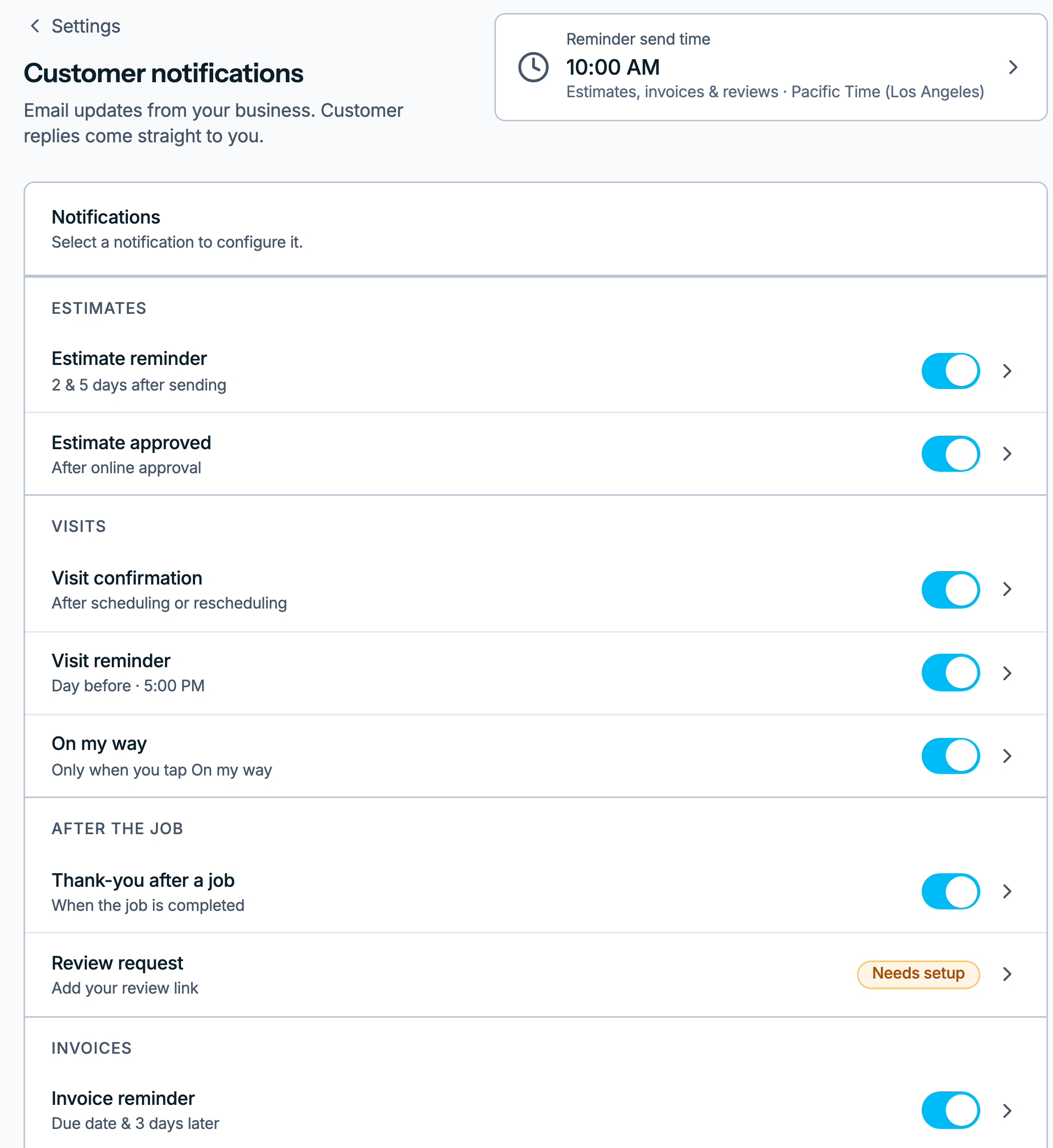
Customer notifications on the web 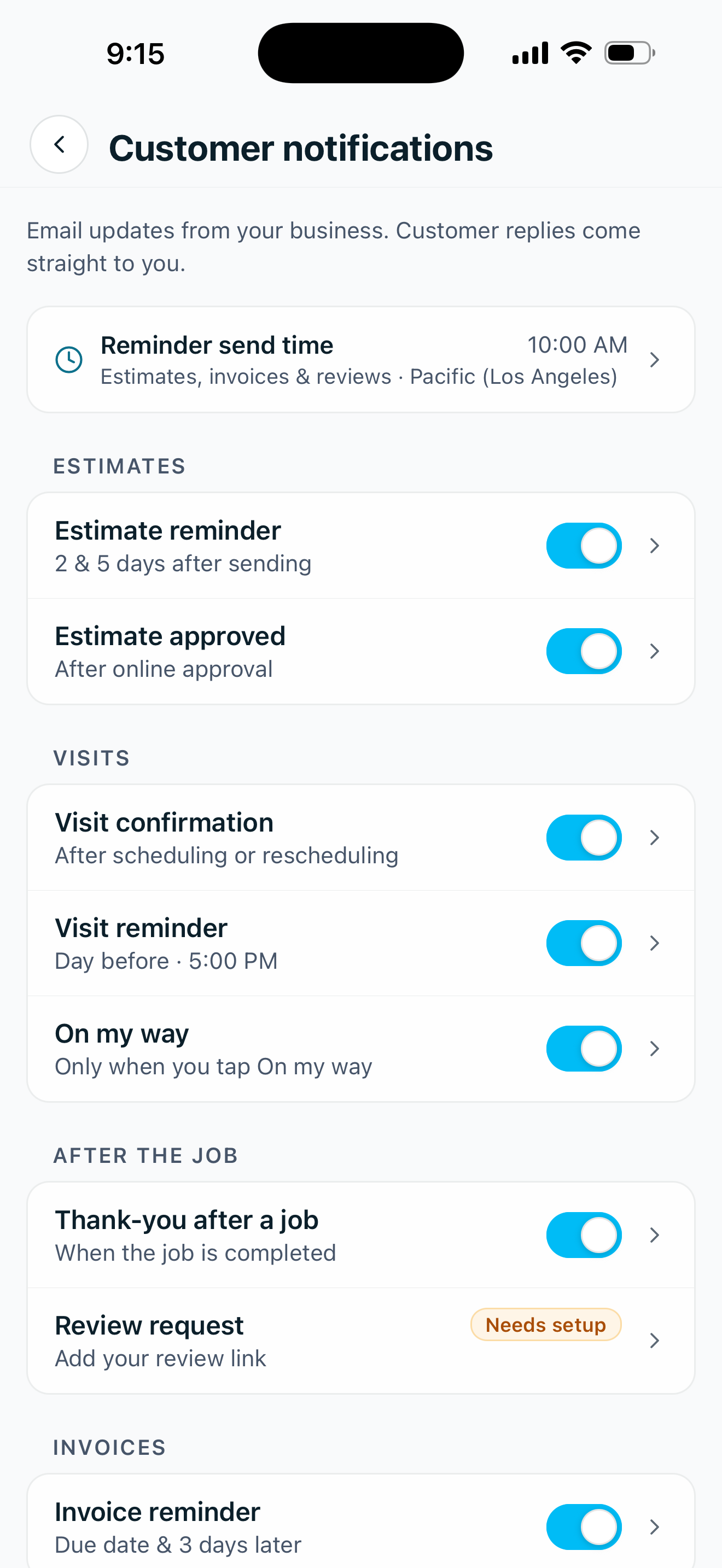
The same emails in the app Accept estimate
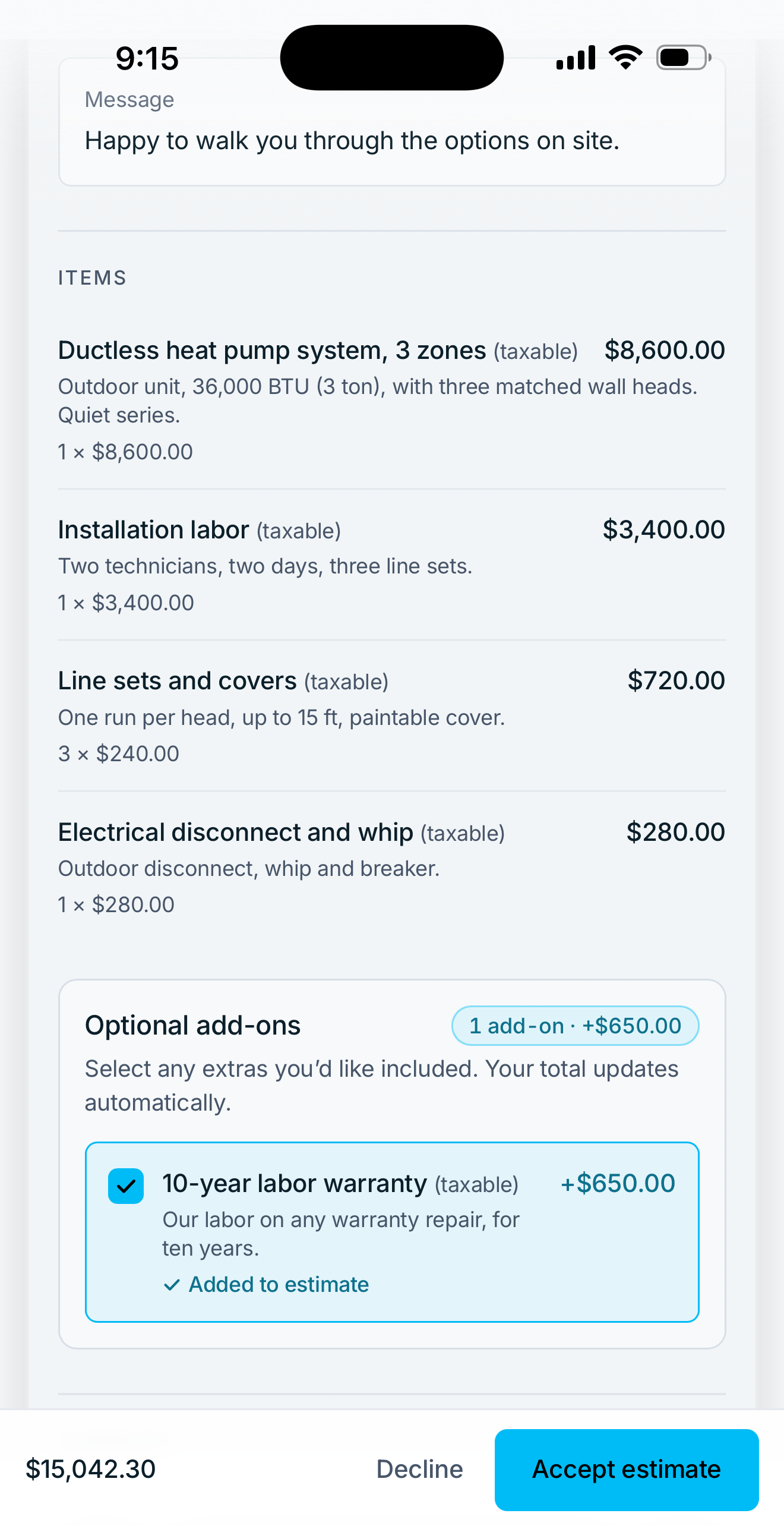
The customer opens the estimate from your email and decides on their phone, with no account to make.
- Optional add-ons they can tick, with the total updated as they choose.
- A signature drawn with a finger or typed under their full name, to accept.
- Request changes sends you their question, and the estimate stays open while you review it.
The estimate with an add-on ticked 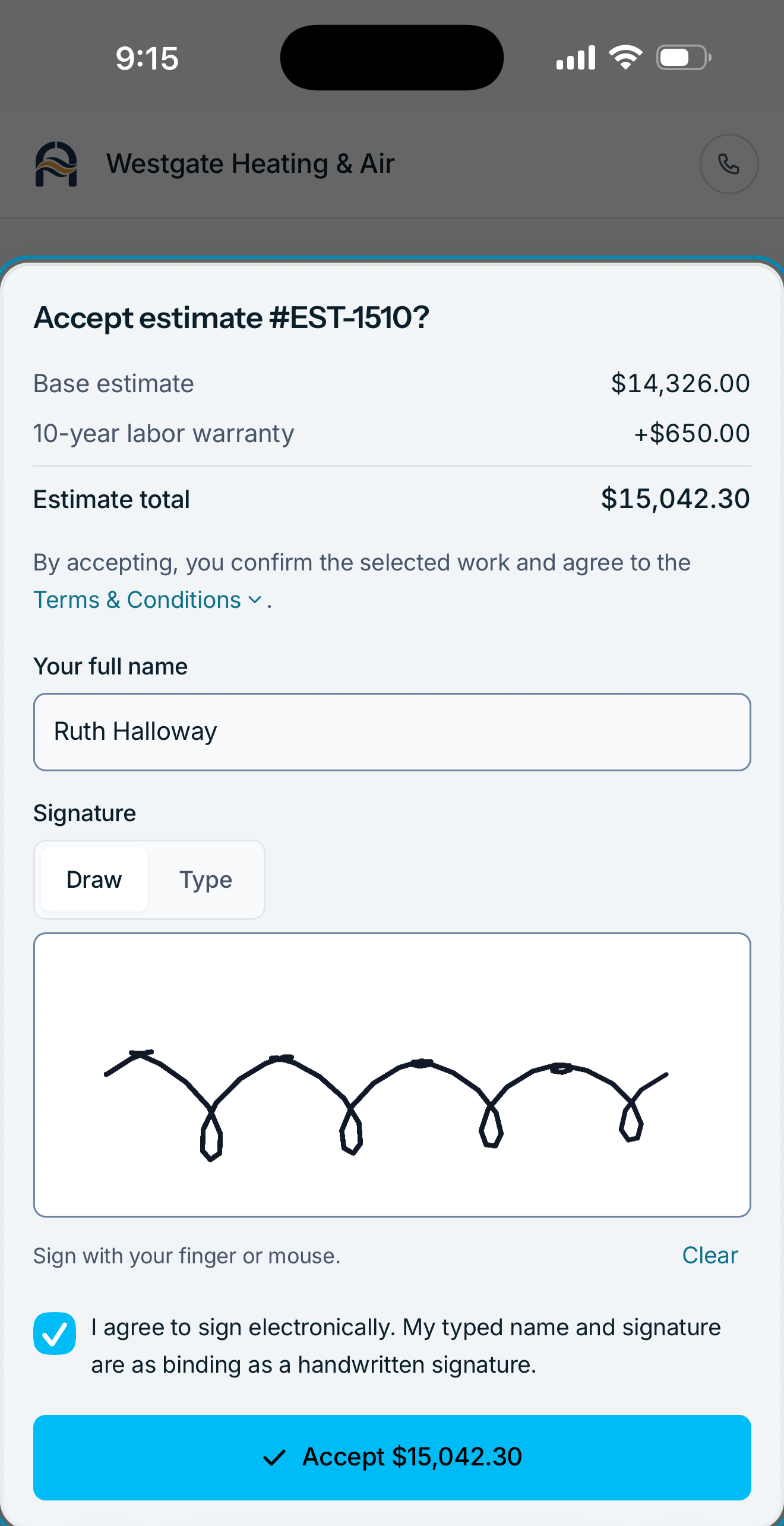
Accepting with a signature 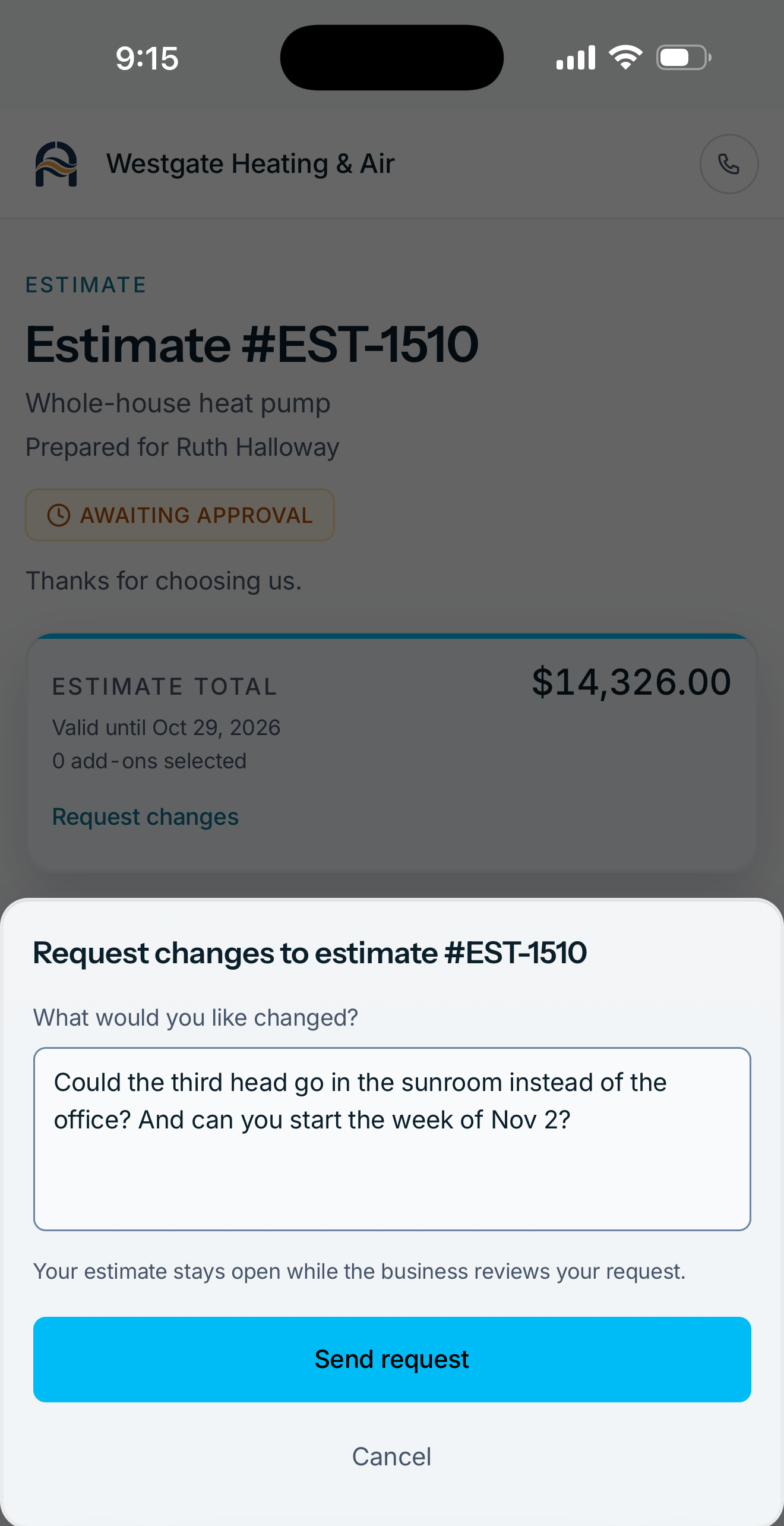
A request for changes Collect payment
See what each customer owes, then get paid on their invoice page or on the spot.
- Each contact shows what they owe, with past due, unpaid invoices and open work.
- Their invoice page shows the balance due and a Pay button when you take card payments.
- Record payment for cash, a check, Venmo or Zelle, with a receipt emailed to the customer.
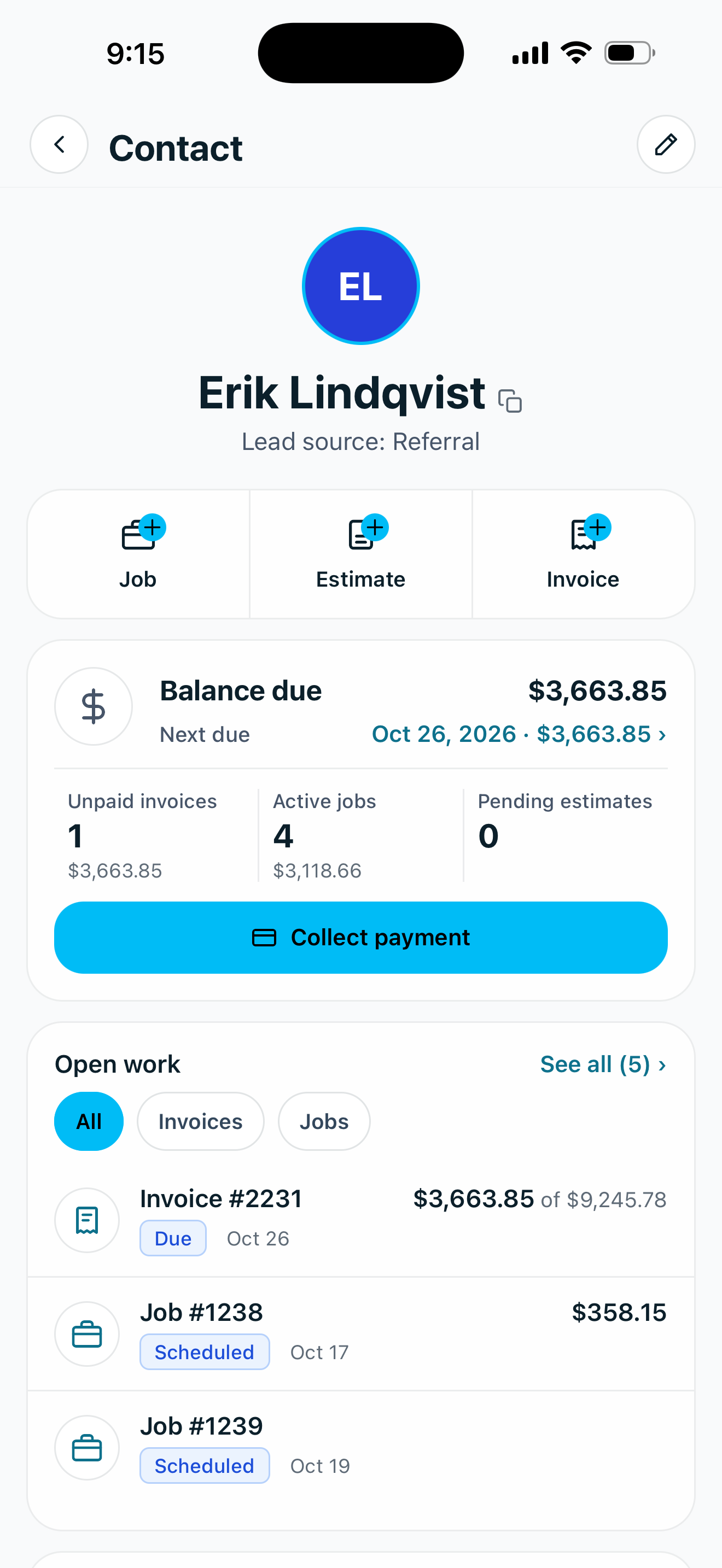
A contact's balance due 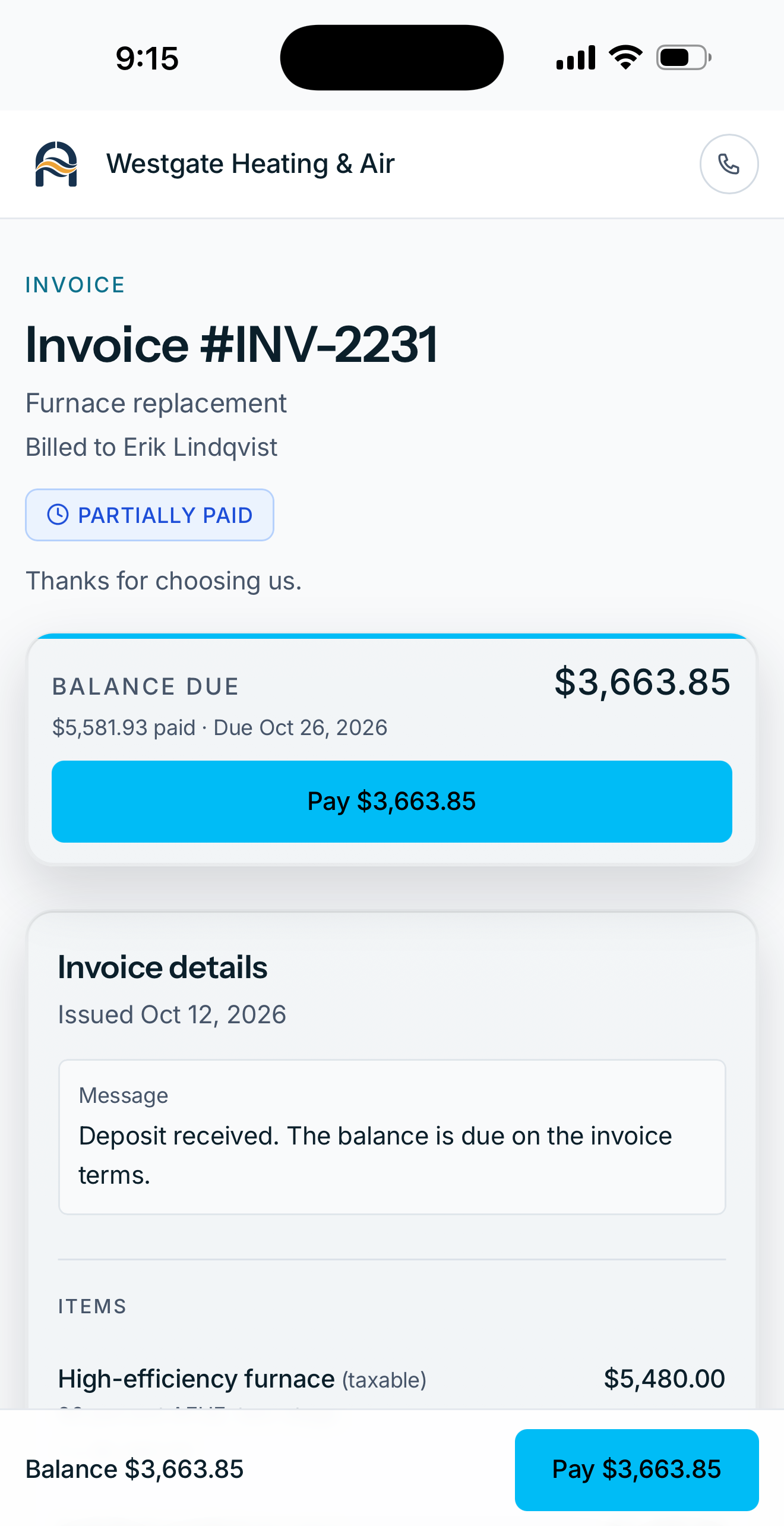
The customer's invoice page 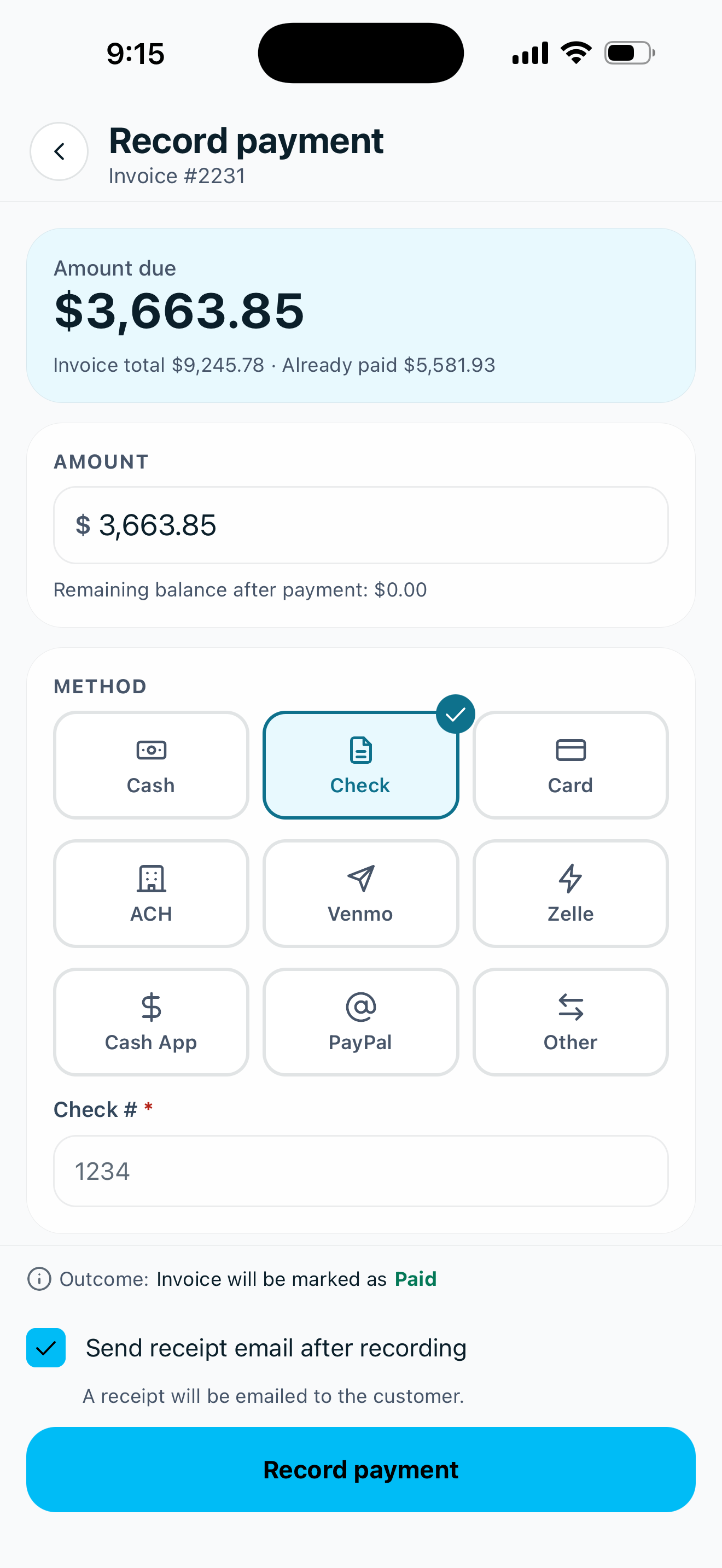
Record payment by check Branding
Your logo and your color go on everything your customers see from you.
- One logo and one primary color for every invoice, estimate, portal page and payment.
- A preview of your colors on an invoice's PDF header and its branded email.
- Client portal settings choose what the shared pages show, such as your logo, your company name and a contact button.
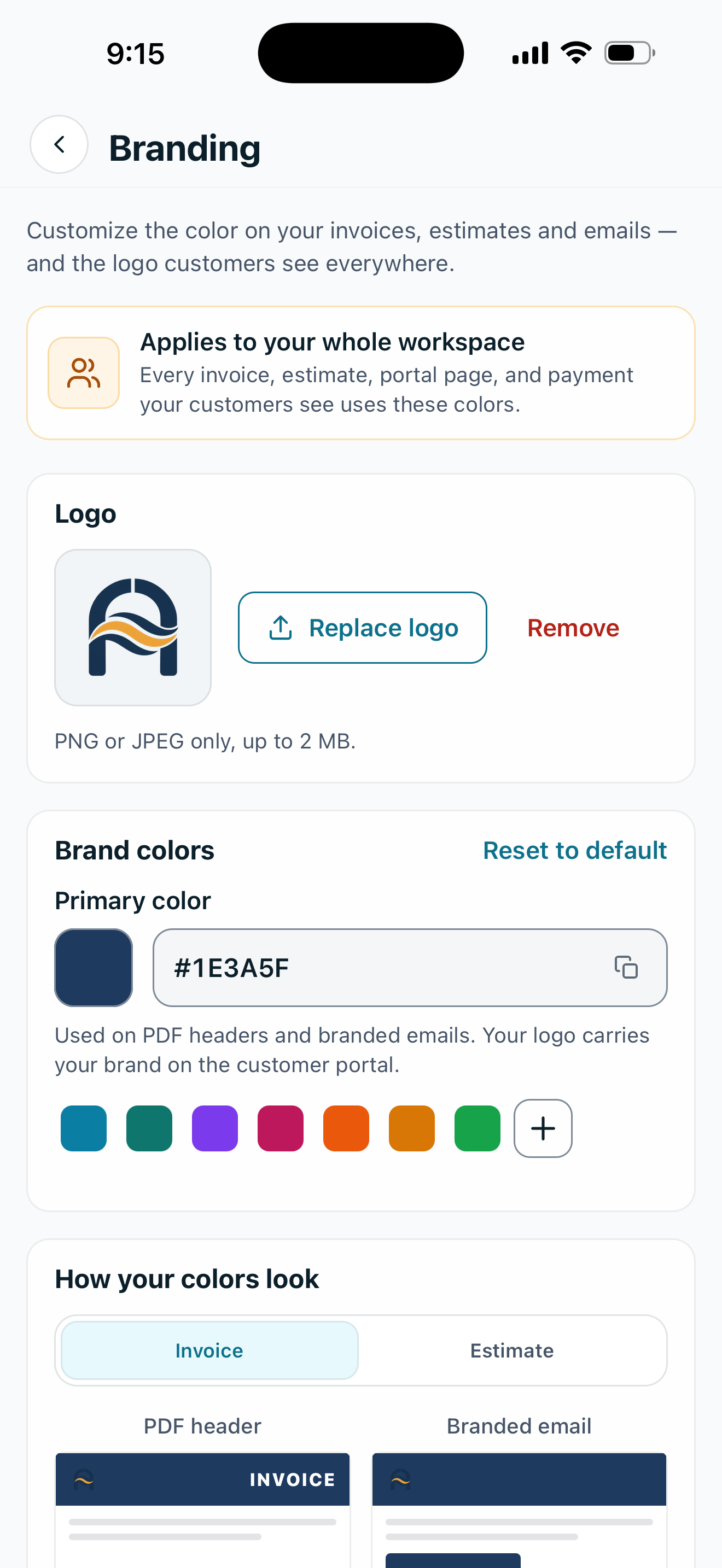
Branding in the app 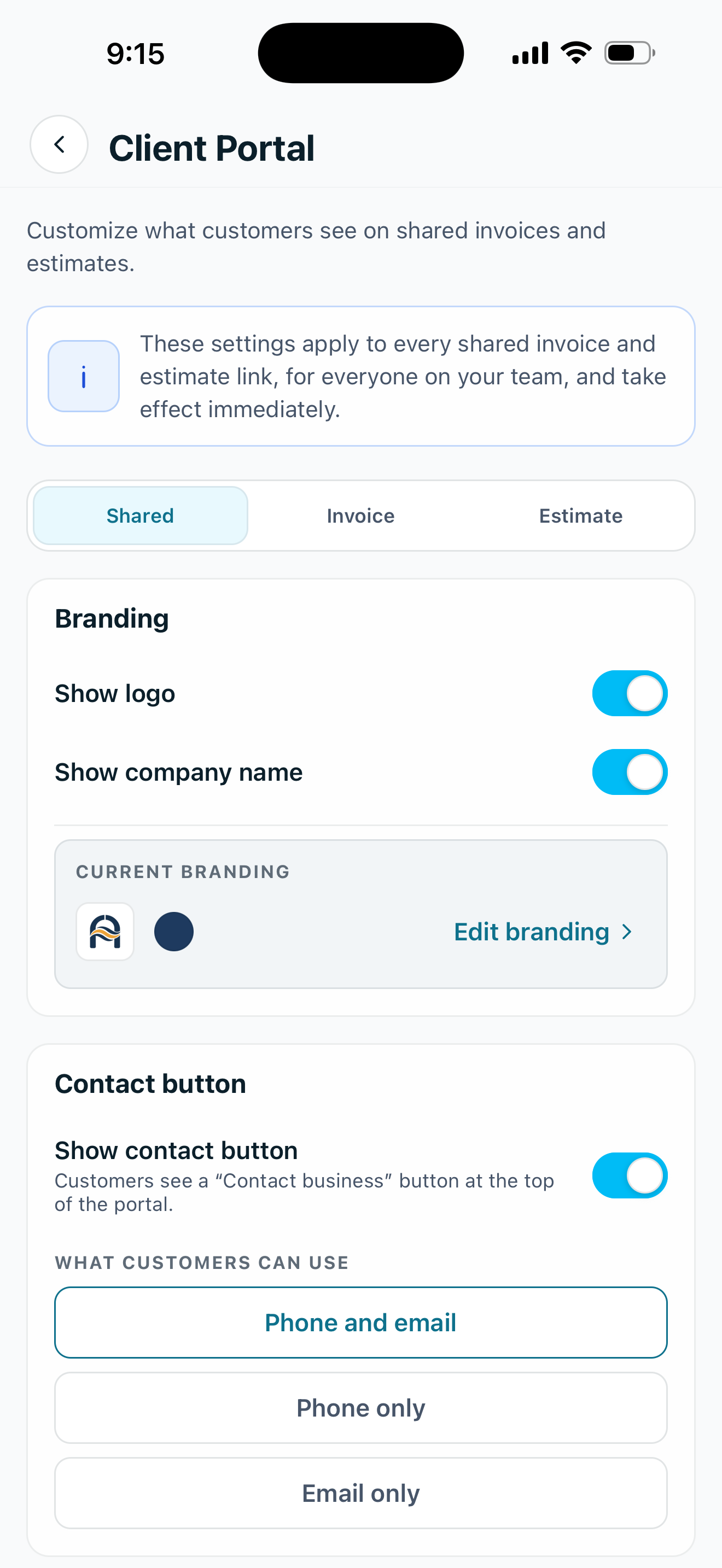
Client portal settings in the app Invite your team
Start on your own and bring in your crew when you are ready.
- Just you at first, as the owner and the only member.
- An email invitation with a role, such as Technician, which you can change later.
- Team tools arrive with the first invitation, among them team chat, timesheet approval and the team report.
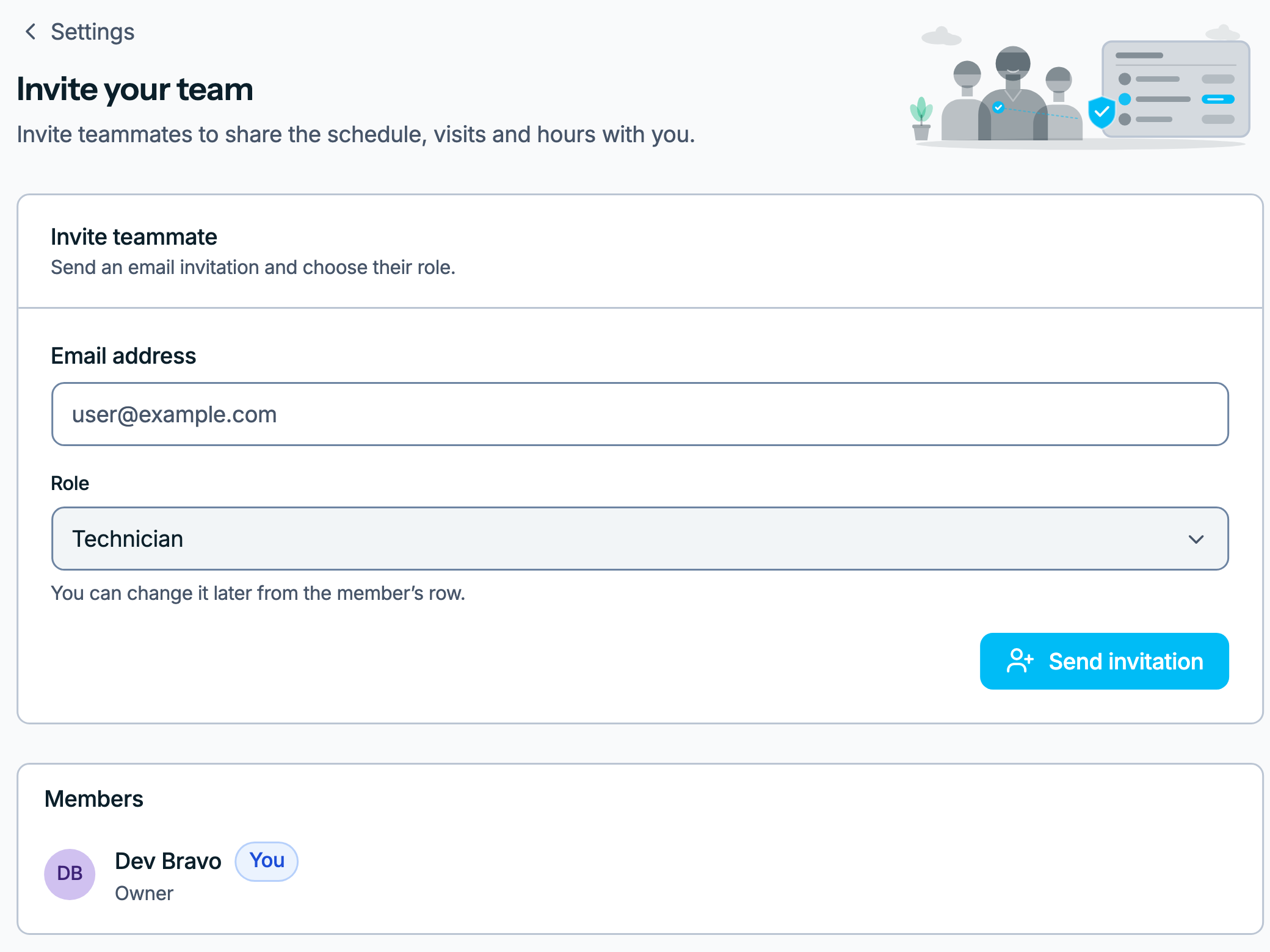
Invite your team on the web, in a workspace of one Where your customers come from
Mark how each customer found you, and Reports adds up what each source brings in.
- A lead source on each contact, such as Google, Referral, Nextdoor or Yard sign.
- Jobs and revenue for each source in one table, with the biggest earner at the top.
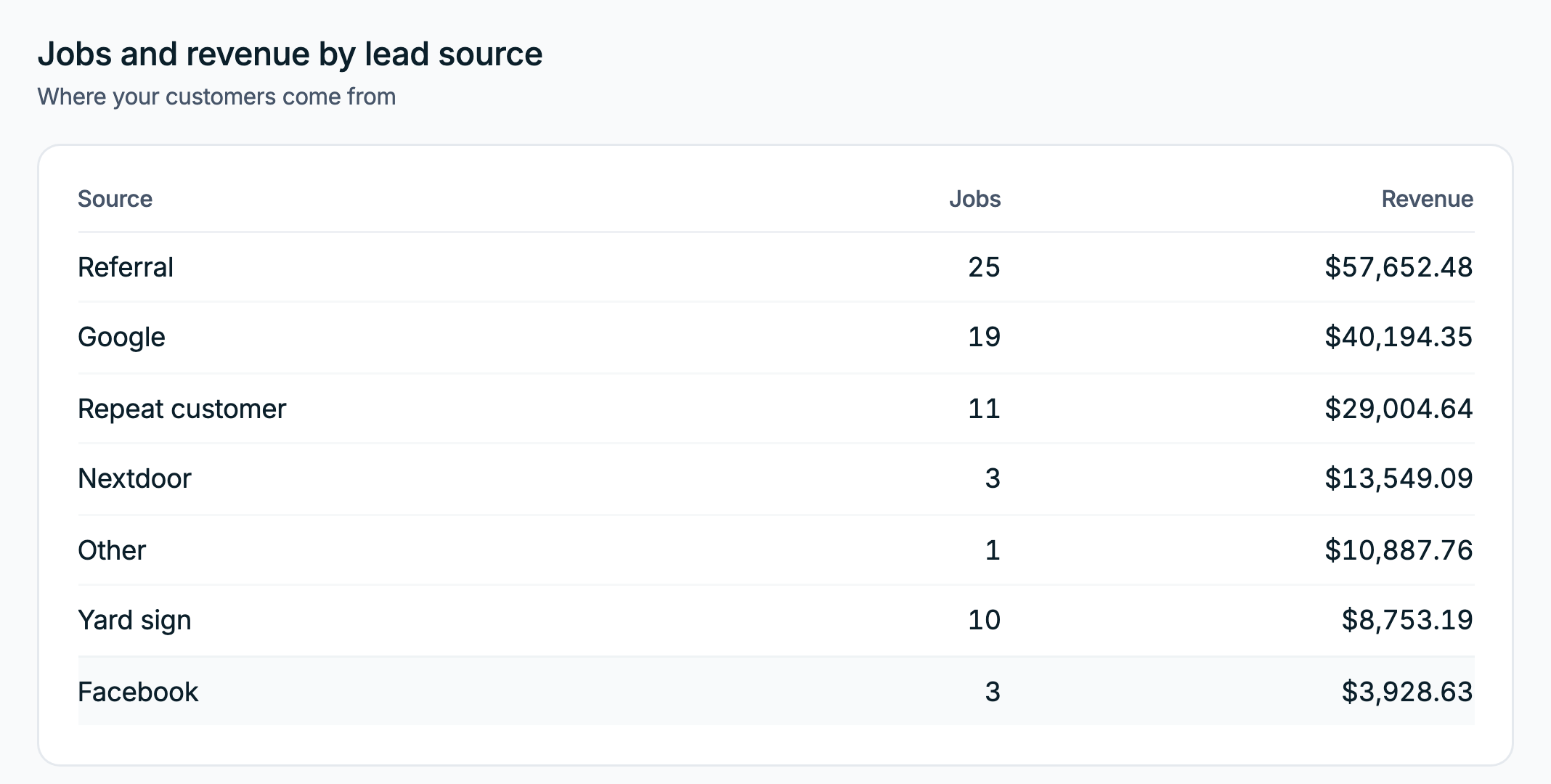
Jobs and revenue by lead source, in Reports


The tools around the job.
Customers and their emails, team chat, hours, reports and roles.
Customers and repeat work
Keep customer history together and repeat visits organized.
- Customer records
Contacts with their properties, notes, files and balance.
- Recurring jobs
Jobs that repeat daily, weekly, monthly or yearly.
- Data import
Bring customers, jobs, invoices and payments over from another app.
- Customer records
Customer emails
Confirmations, reminders and thank-yous that send themselves.
- Customer notifications
A switch and a send time for each email to customers.
- Email templates
Reword any email and preview it before it goes out.
- Communications log
Every email sent, and whether it was delivered or opened.
- Customer notifications
Your team
Team chat and timesheets for your crew.
- Team chat
A channel for each topic and a thread on each job.
- Timesheets
Hours from each finished visit or added by hand.
- Team chat
Reports and activity
See how the business is doing and what changed.
- Reports
Money collected, work done, estimates won and hours worked.
- Activity log
Every change in the workspace, with who made it and when.
- Reports
Access and permissions
Choose who can see costs, profit and workspace records.
- Roles & permissions
Built-in roles that set what each member can see and do.
- Custom roles
Roles of your own, with each permission switched on or off.
- Roles & permissions
Zaras Assistant
Ask about your workspace. Get help using Zaras.
How Zaras Assistant worksAnswers based on what you can access.
Put Zaras to work.
Your next job can run the way the furnace job did.
14 days free, no card.