What does Needs attention mean on a job?
Needs attention lists what is still open on a job, each with a button to fix it. It sits under the progress steps at the top.
What each line asks
- Job isn't scheduled yet: press Set schedule, or tap Schedule visit or Add visit.
- A visit has no technician assigned: press Assign, or tap View visit.
- Customer has no phone or email on file: press Open customer, or tap Add contact info.
- A message failed to deliver: press the line, or tap View messages, to see which one.
- Job completed but not invoiced: choose Create invoice, Link invoice or No invoice needed.
Before you complete the job, All visits done — not invoiced yet offers the same choices.
A partly invoiced job offers Create another invoice. The Invoiced step ticks only once issued invoices cover the job's total. See Why does my job say Needs invoice?
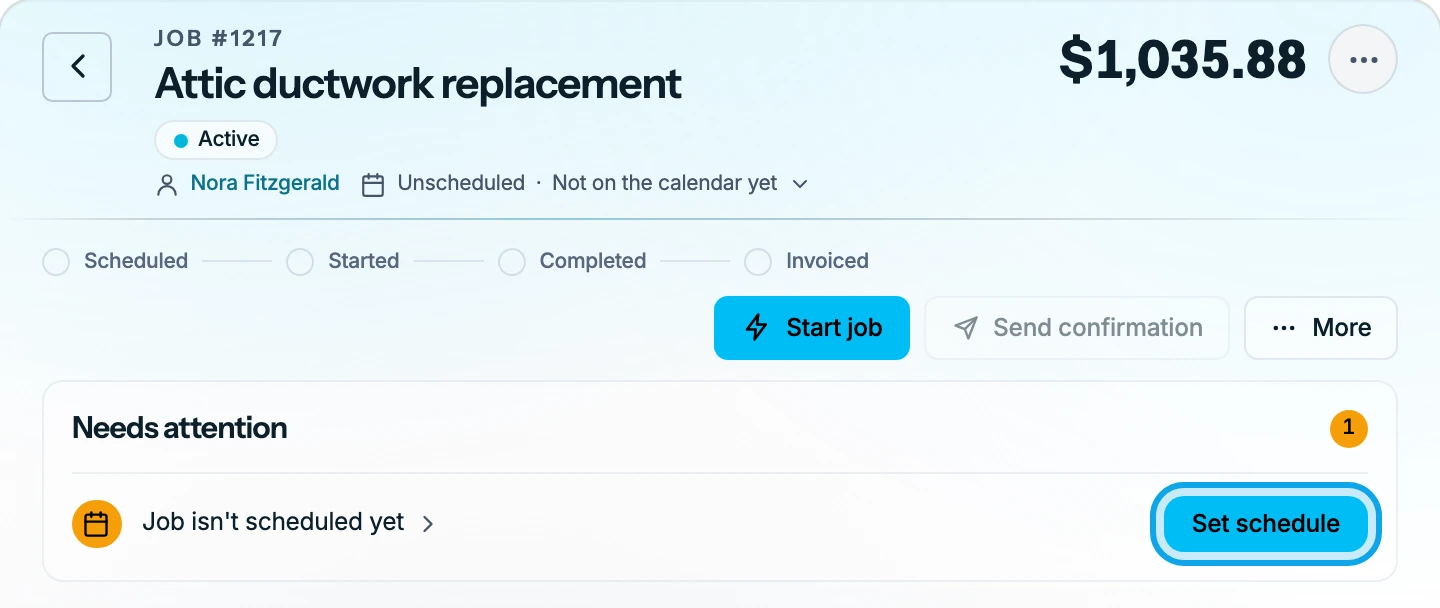
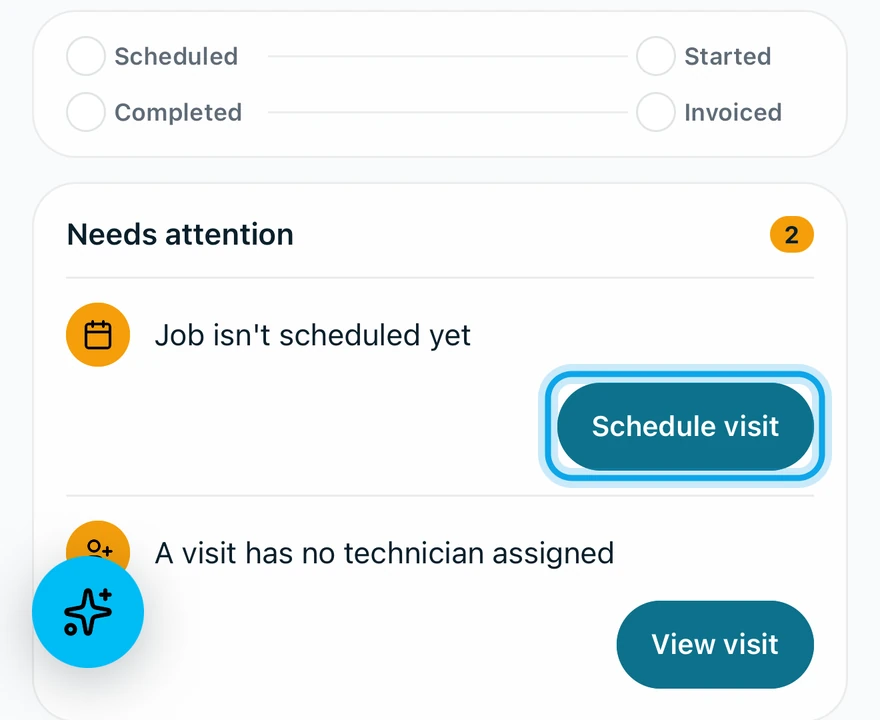
What you see
Each line clears once its cause is fixed. With nothing left, the card is gone. A canceled job shows no progress steps and no Needs attention.
Who can do this
Every member can see the card. No permission is needed. Each fix needs its action's permission, such as Manage invoices for Create invoice. Others ask an owner or admin under Settings → Team & roles → Roles.