Set a due date on a task
Open the task and set its Due date. Changes save as you go. A due date doesn't move the task between Today, Upcoming and Later: you do.
Set a due date
- Open the task on the web, or tap it in the Zaras app.
- Set the Due date.
- Optionally set Notes, High priority, Recurrence or the pin.
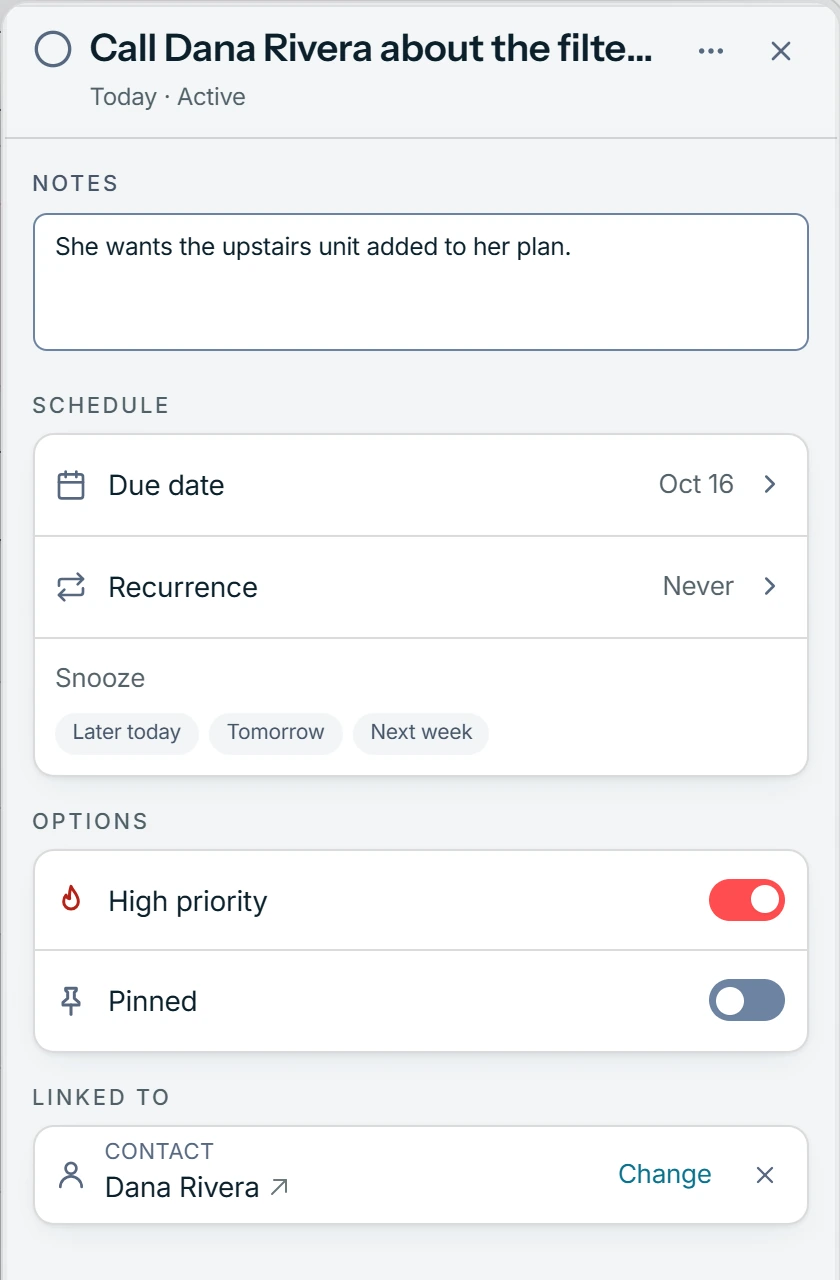
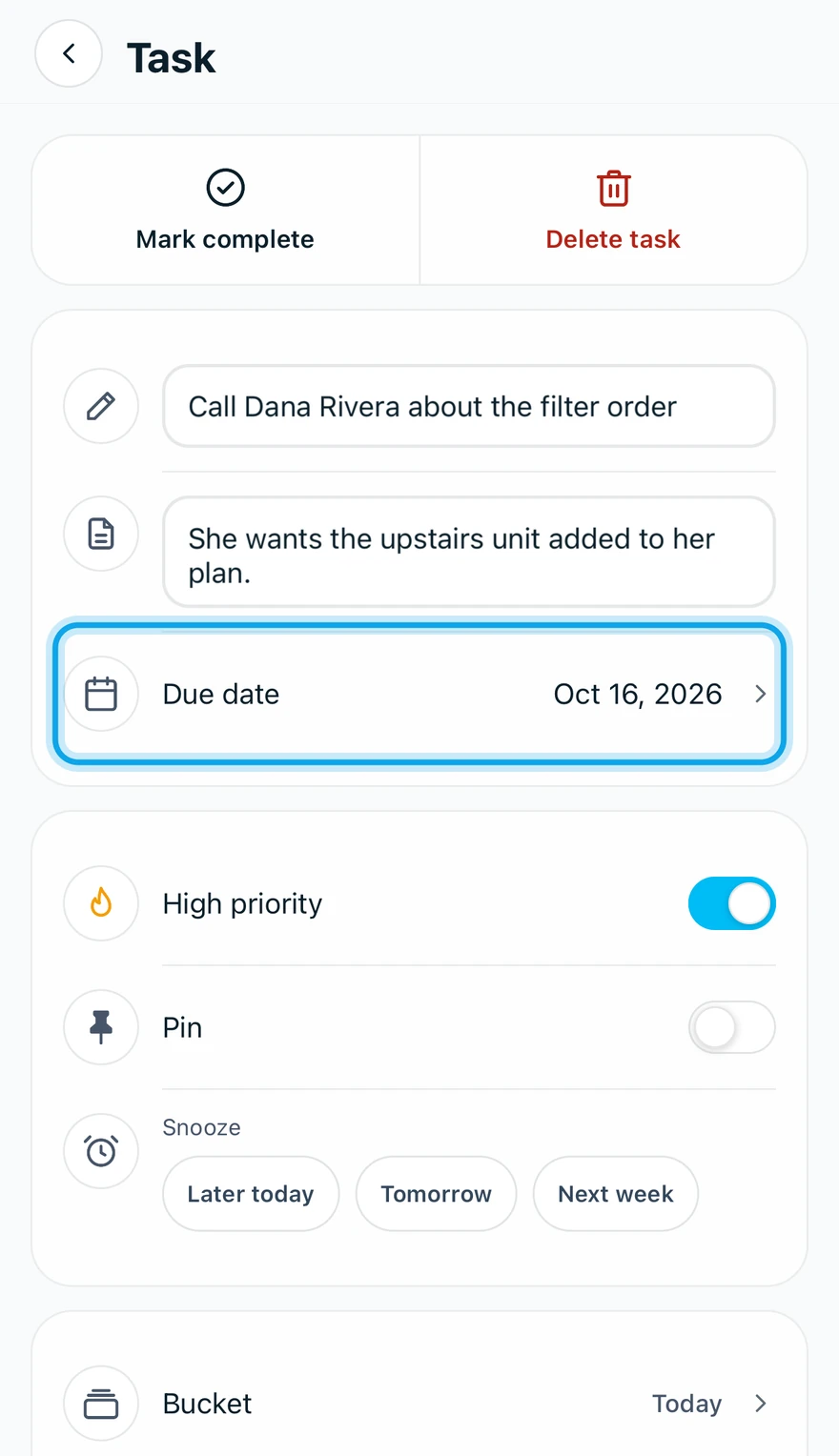
Recurrence repeats a task Daily, Weekly, Biweekly or Monthly. You can pin up to three tasks (Pin in the app, Pinned on the web), but not a snoozed one.
What you see
The row shows its due date. On the web, the full page counts past-due tasks under Overdue.
To move a task, drag it between buckets on the web, or choose Move to….
Will I get a reminder?
Only as a push: Tasks alerts send a morning summary of tasks due today. Turn them on in Choose which push alerts you get.
Who can do this
Every role has My Tasks. No permission is needed.