Choose which push alerts you get
Switch each kind of push alert on or off under Send me, in the Zaras app only. Your choices apply to this phone.
Choose your alerts
- In the Zaras app, open Settings → Notifications.
- Under Send me, switch each kind on or off.
- Tap Save changes.
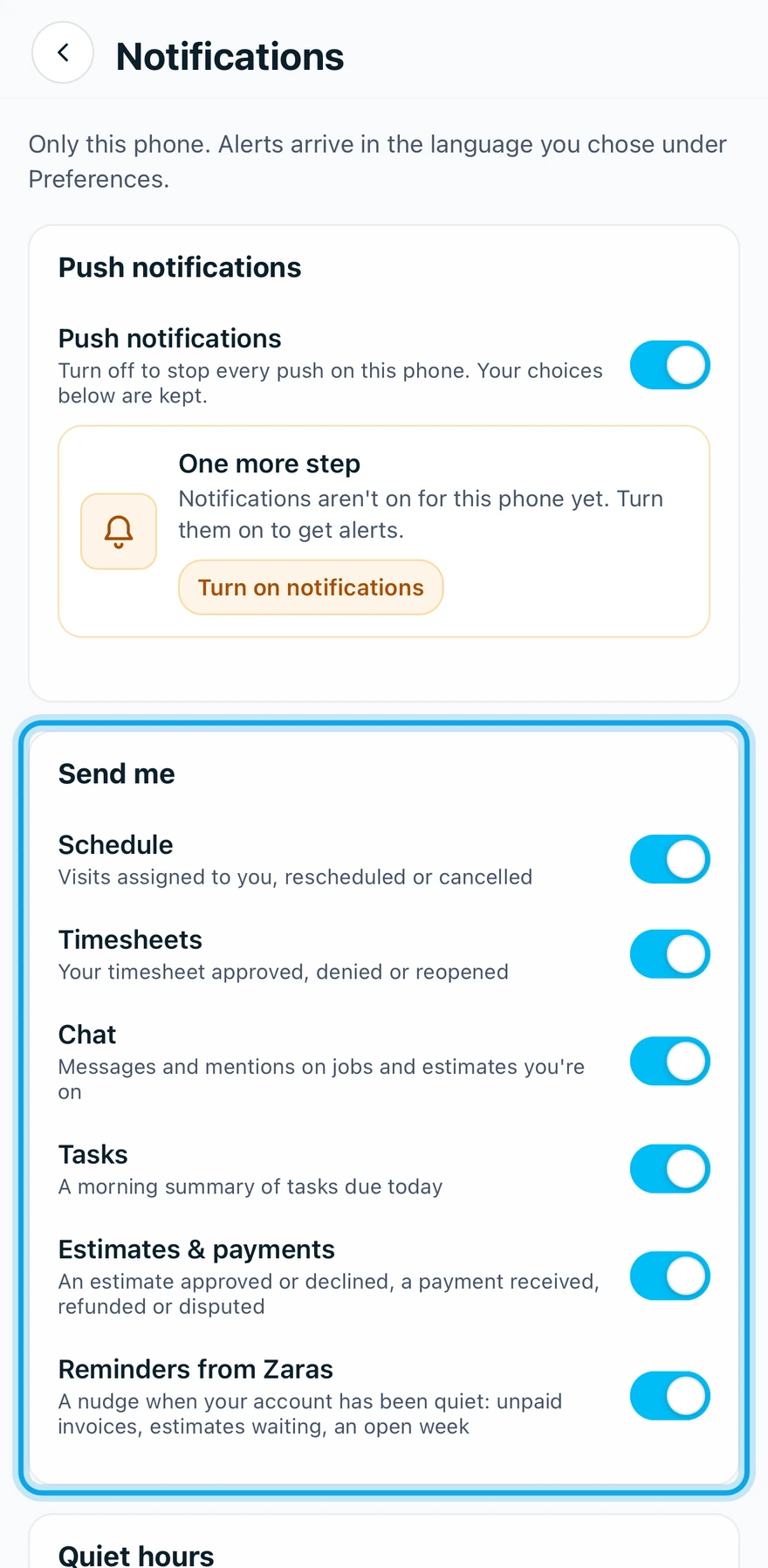
The kinds are:
- Schedule: Visits assigned to you, rescheduled or canceled.
- Chat: Messages and mentions on jobs and estimates you're on.
- Timesheets: Your timesheet approved, denied or reopened.
- Tasks: A morning summary of tasks due today.
- Estimates & payments: An estimate approved or declined, a payment received, refunded or disputed.
- Reminders from Zaras: A nudge when your account has been quiet: unpaid invoices, estimates waiting, an open week.
What you see
Notification settings saved confirms it. Estimates & payments also sends Your estimate was viewed or Your invoice was viewed, once, when the customer opens the page.
A kind of alert is missing
Only members holding Manage financial settings get the viewed alerts. Reminders from Zaras is for owners and admins only. Working on your own, Schedule, Chat and Timesheets stay hidden until someone joins.
Who can do this
Every member sets their own, with no permission needed.