Download the Zaras app and sign in
Install Zaras from the App Store or Google Play, then sign in with the account you use on the web. Your role sets what you see, as it does on the web.
Install and sign in
- Install Zaras from the App Store (iPhone and iPad) or Google Play (Android).
- Open the app.
- On Sign in to your account, enter your Email and Password.
- Tap Sign in.
On the web, Settings → Preferences has both store buttons under Phone notifications.
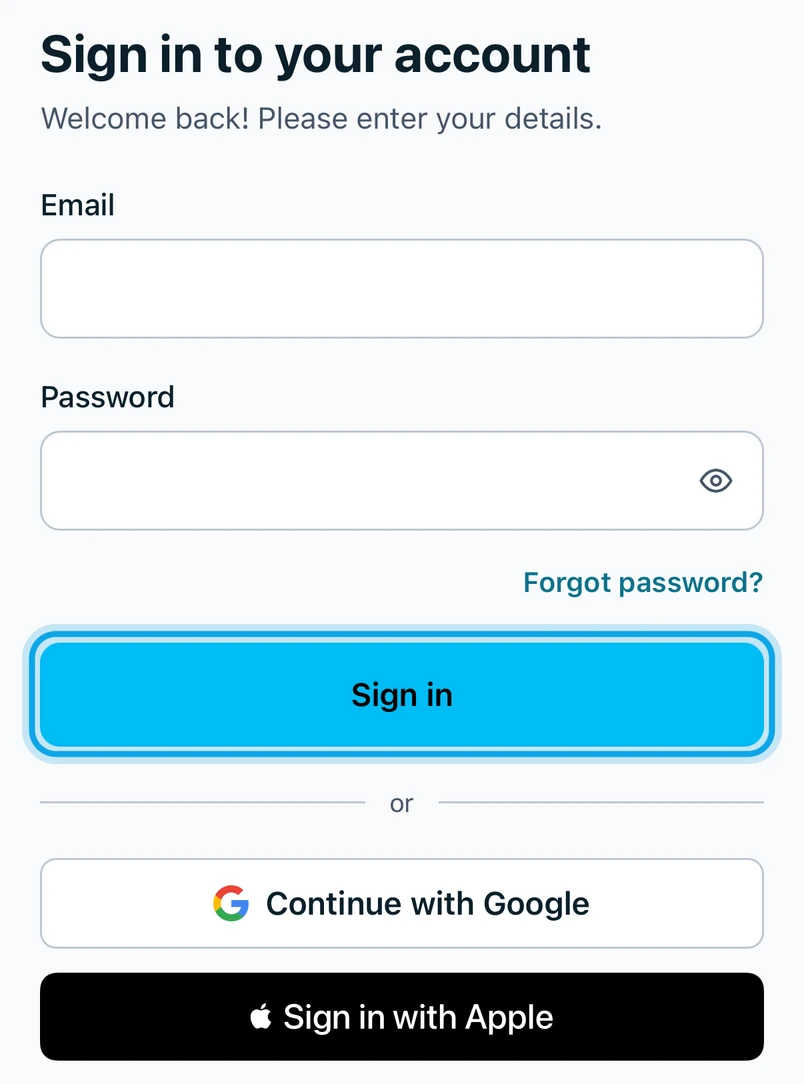
You can also tap Continue with Google, or Sign in with Apple on an iPhone: see Sign in with Google or Apple.
What you see
Your workspace opens on the Home tab. The app holds one workspace at a time.
Forgot your password?
Tap Forgot password? and follow Reset a forgotten password.
Who can do this
Anyone with a Zaras account. New to Zaras? Create an account in the Zaras app.