How do I quickly create a job, estimate, invoice or contact?
On the web, press Create at the top of the sidebar from any page. In the Zaras app, use the plus button on Schedule or at the top of a list.
Create a record
On the web:
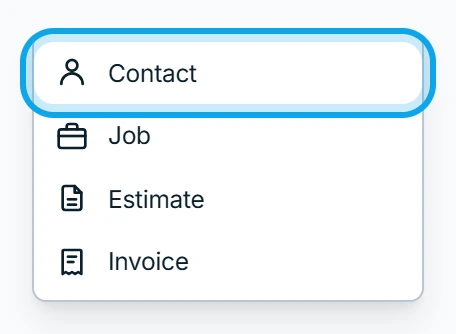
- Press Create at the top of the sidebar.
- Choose Contact, Job, Estimate or Invoice.
In the Zaras app:
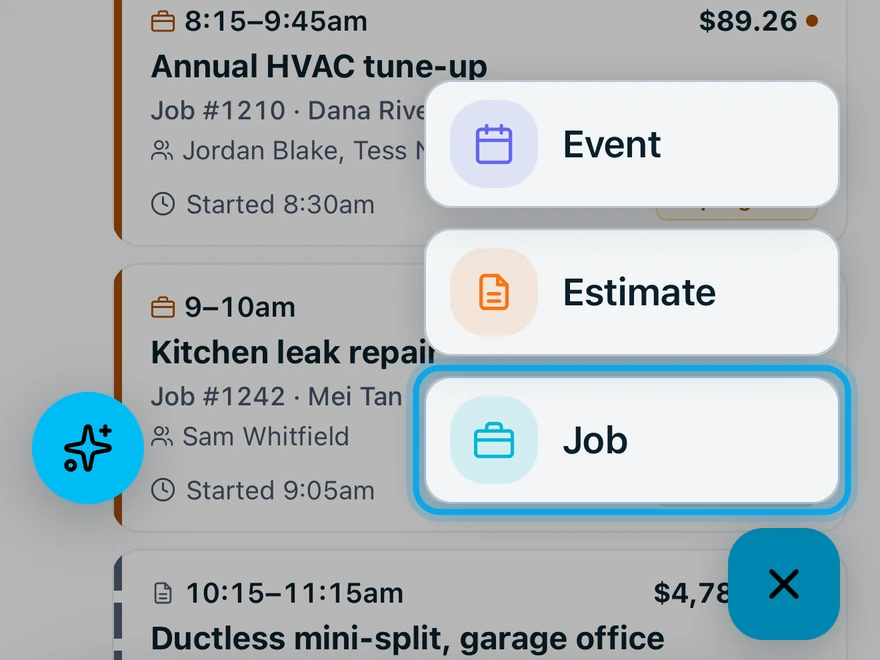
- Tap Schedule.
- Tap the round plus button at the bottom right.
- Tap Job or Estimate.
For an invoice, tap Work, then Invoices, then the plus button at the top. For a contact, tap Contacts, then the plus button at the top.
Home also lists Quick actions: Create estimate, Add contact and Create invoice.
What you see
The form for the new record opens. Finish it as in Create a job, Create an estimate, Create an invoice or Create a contact.
Who can do this
Each choice needs its own capability: Manage jobs, Manage estimates, Manage invoices or Manage contacts. Owners, admins, office staff and technicians hold all four by default. A choice your role lacks is hidden. To get it, ask an owner or admin under Settings → Team & roles → Roles.