Create an account in the Zaras app
Tap Create account in the Zaras app, then confirm with the code Zaras emails you. Without an invitation, the account starts a new workspace of your own.
Create your account
- Open the Zaras app and tap Create account.
- Enter your Email and a Password.
- Tap Create account again to send the code.
- On Check your email, enter the code from the email.
- Tap Verify.
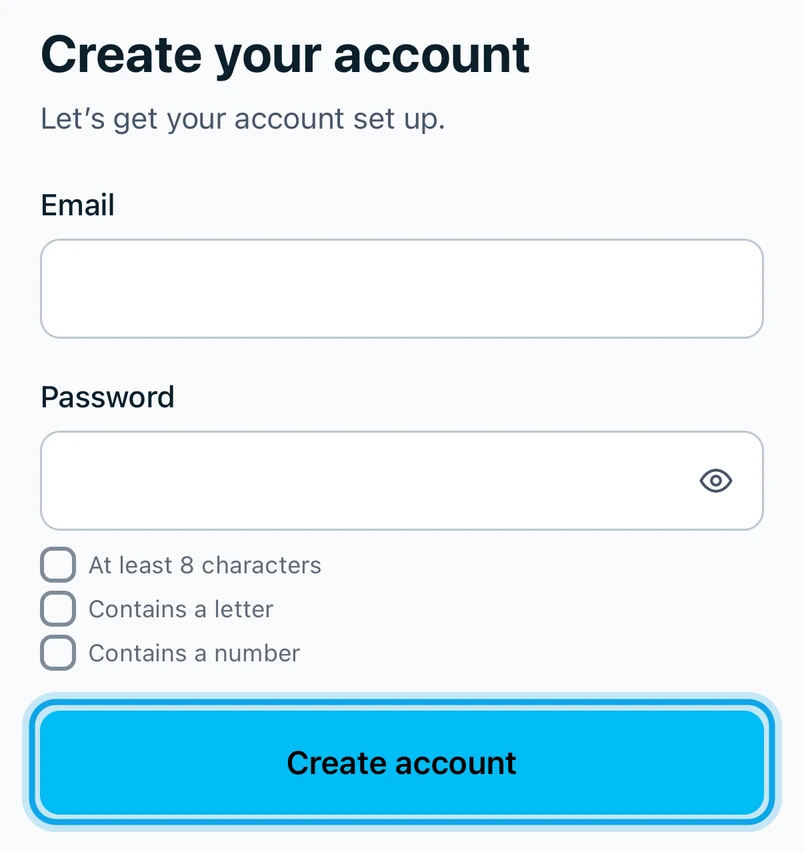
The password needs At least 8 characters, and it Contains a letter and Contains a number. Each check turns on as you type.
What you see
The app opens the setup steps: Set up your workspace after you sign up.
No code arrived
Tap Resend code. Confirmation code re-sent. confirms it went.
Invited by your team?
Sign up with the invited email address: see Join a team from an invitation.
Who can do this
Anyone can create an account. No permission is needed.