How do I find a job, estimate, invoice or contact?
Open the list for that kind of record, then search or filter it. There is no search across all of Zaras, so each list searches only its own records.
Find a record
On the web:
- In the sidebar, press Jobs, Estimates, Invoices or Contacts.
- Type in the search box above the list.
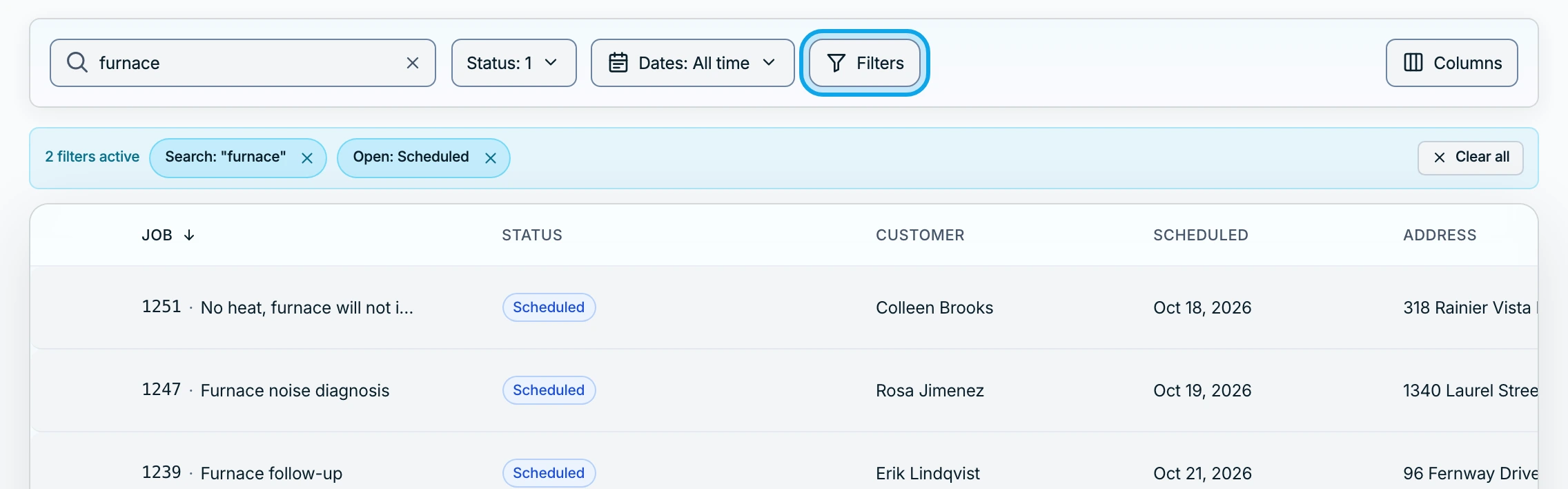
- Narrow it with All statuses, the Dates pill or Filters.
In the Zaras app:
- Tap Work and pick Jobs, Estimates or Invoices, or tap Contacts.
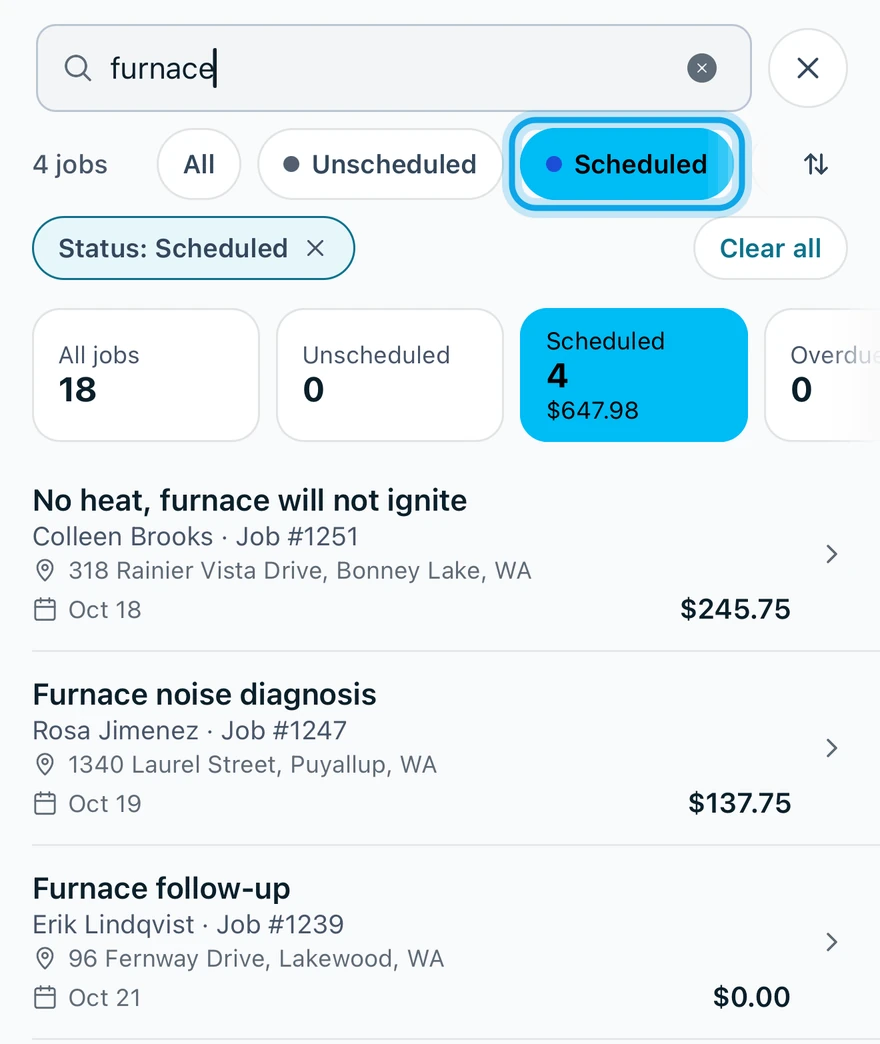
- Tap the magnifying-glass button and type.
- Tap a status chip, or the funnel button for more filters.
On the web, press a tile above the list to filter by that status. Press a column header to sort, and Columns to choose what shows. In the app, the sort button ends the status row.
The calendar has its own search: see Change what the calendar shows.
What you see
Each filter you set shows as a chip above the list. Clear all removes them together.
The list says No jobs found
A filter is hiding the record. On the web, No jobs found reads Try adjusting your filters. In the app, it reads No jobs match your filters. Press or tap Clear all filters.
Who can do this
Every member can search and filter the lists their role can open.