How do I mark a contact as a lead?
You don't: a contact has no lead status. Your leads are the Never serviced segment, the contacts with no completed job yet.
Show your leads
- Open Contacts in the sidebar on the web, or the Contacts tab in the Zaras app.
- Open All segments above the list on the web, or look at the chips under the search in the app.
- Choose Never serviced on the web, or tap its chip in the app.
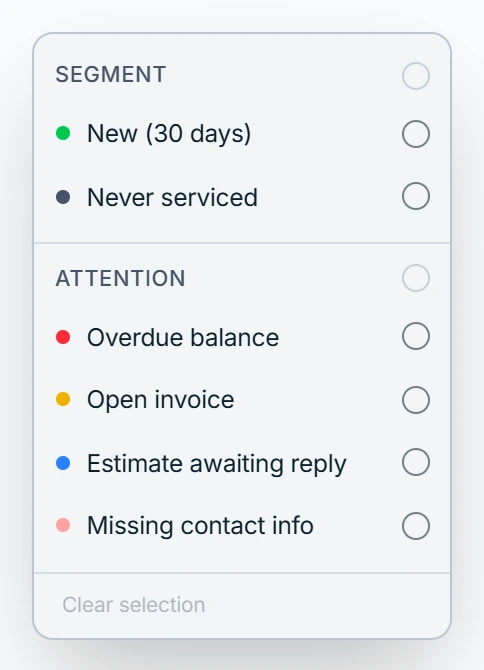
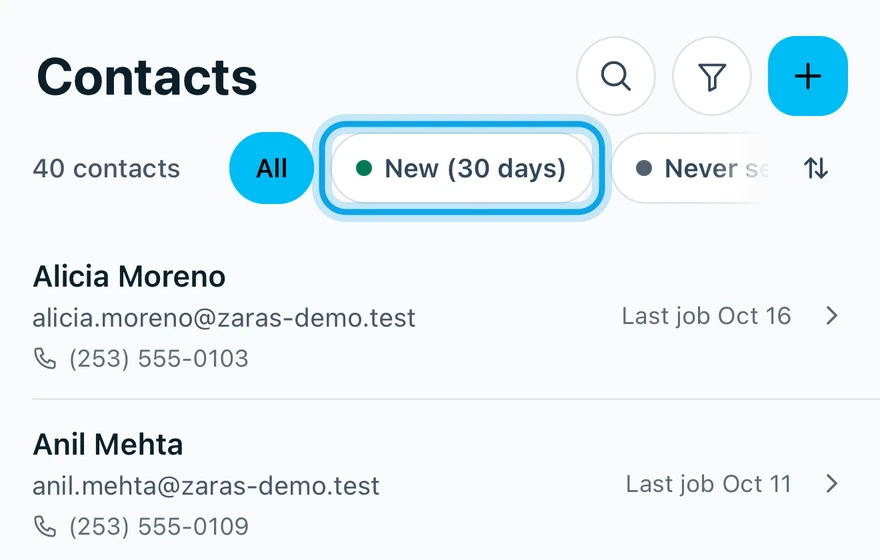
The other segments:
- New (30 days): created in the last thirty days.
- Overdue balance, Open invoice and Estimate awaiting reply: money or a decision is pending.
- Missing contact info: no phone or email on file, so nothing can be sent.
Find lapsed customers
- Press Filters above the list on the web, or tap the filter button in the app's header.
- Pick a Not serviced in bucket:
6mo,12moor24mo+.
Picking more than one applies the widest.
What you see
The list shows only the matching contacts, with their count above it. Clear all filters brings back every contact.
Who can do this
Everyone who can open Contacts can filter it. No permission is needed.