Take a payment on a visit
Record the payment on the job's invoice: a visit is never invoiced on its own. Recording logs money you took. It charges no card.
Record the payment
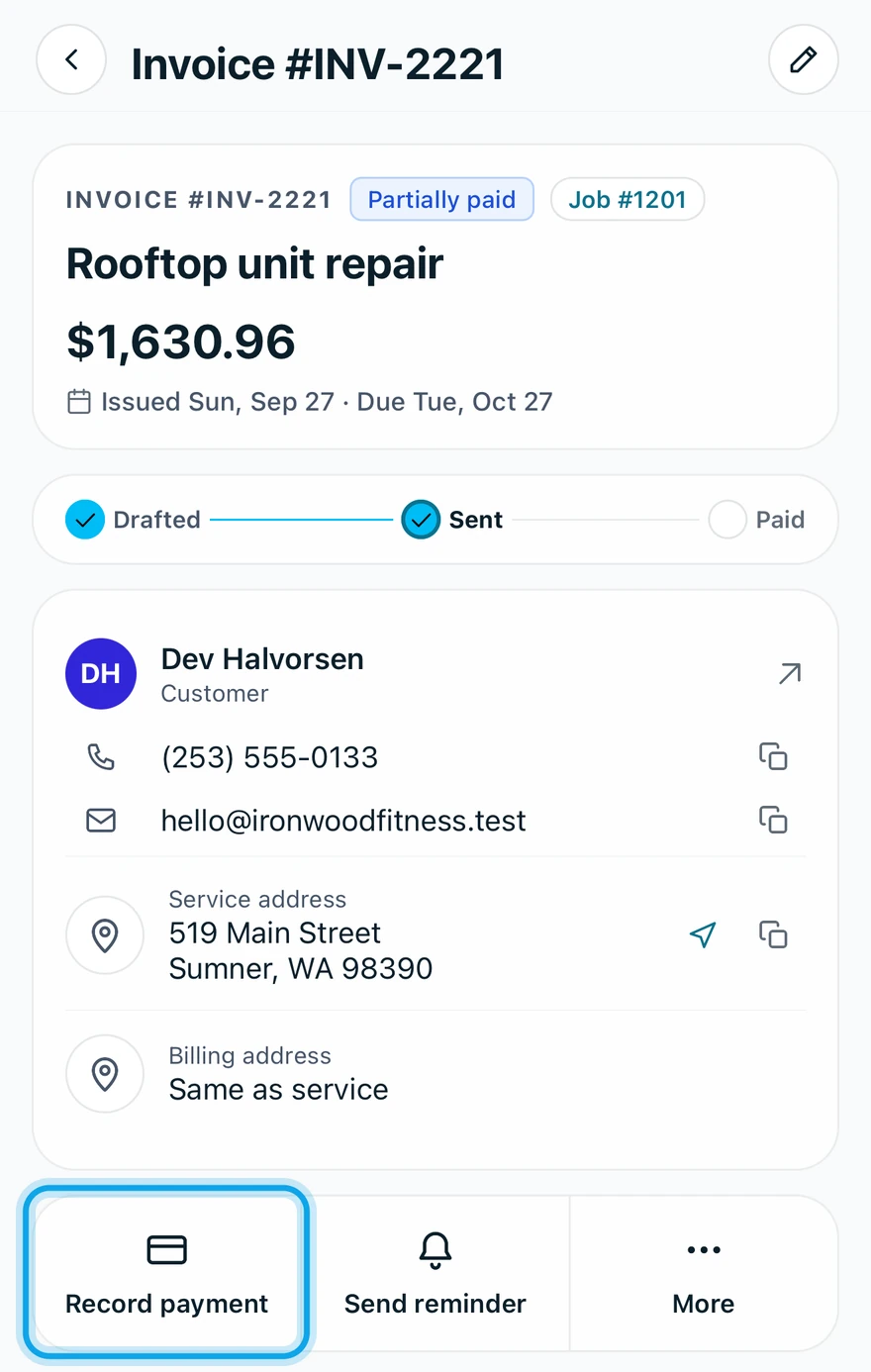
- On the job, open the invoice under Related invoices.
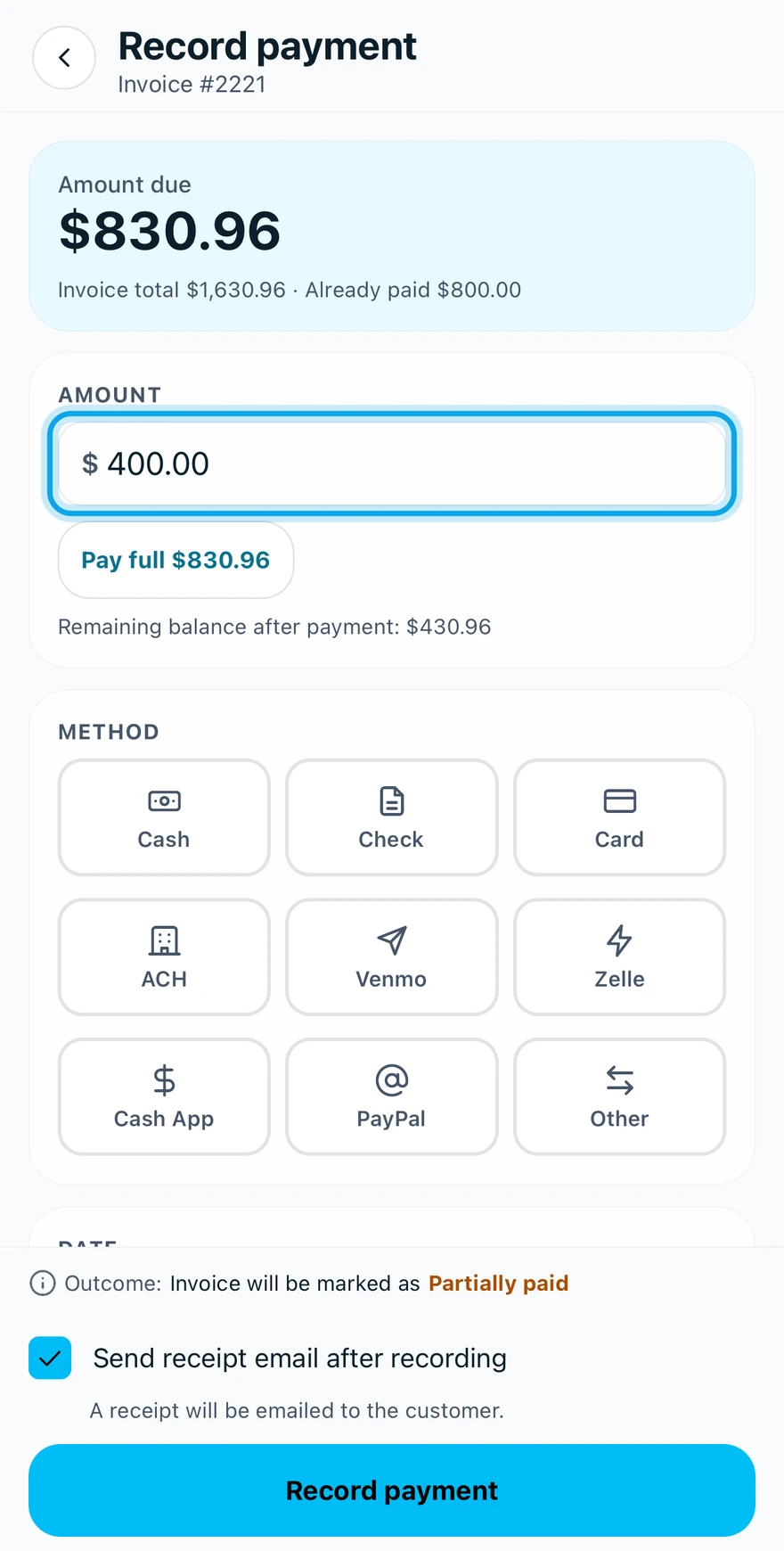
- Tap Record payment.
- Enter the Amount. Lower it for a partial payment.
- Pick the Method, the Date and any Notes (optional).
- Tap Record payment at the bottom.
No invoice yet? Tap Create invoice on the job, under More if it isn't in the action bar.
What you see
The screen says beforehand whether the invoice will be marked Paid or Partially paid. Without signal it reads Payment saved offline — will sync when connected.
Picking Card only records the payment. To charge a customer's card, set up online payments.
The invoice isn't open for payment
The app says This invoice isn't open for payment. when the invoice is still a draft or already closed. Send the draft first.
Who can do this
Recording a payment needs Manage invoices. Owners, admins, office and technicians hold it by default. Others ask an owner or admin.