Make a bundle of price book items
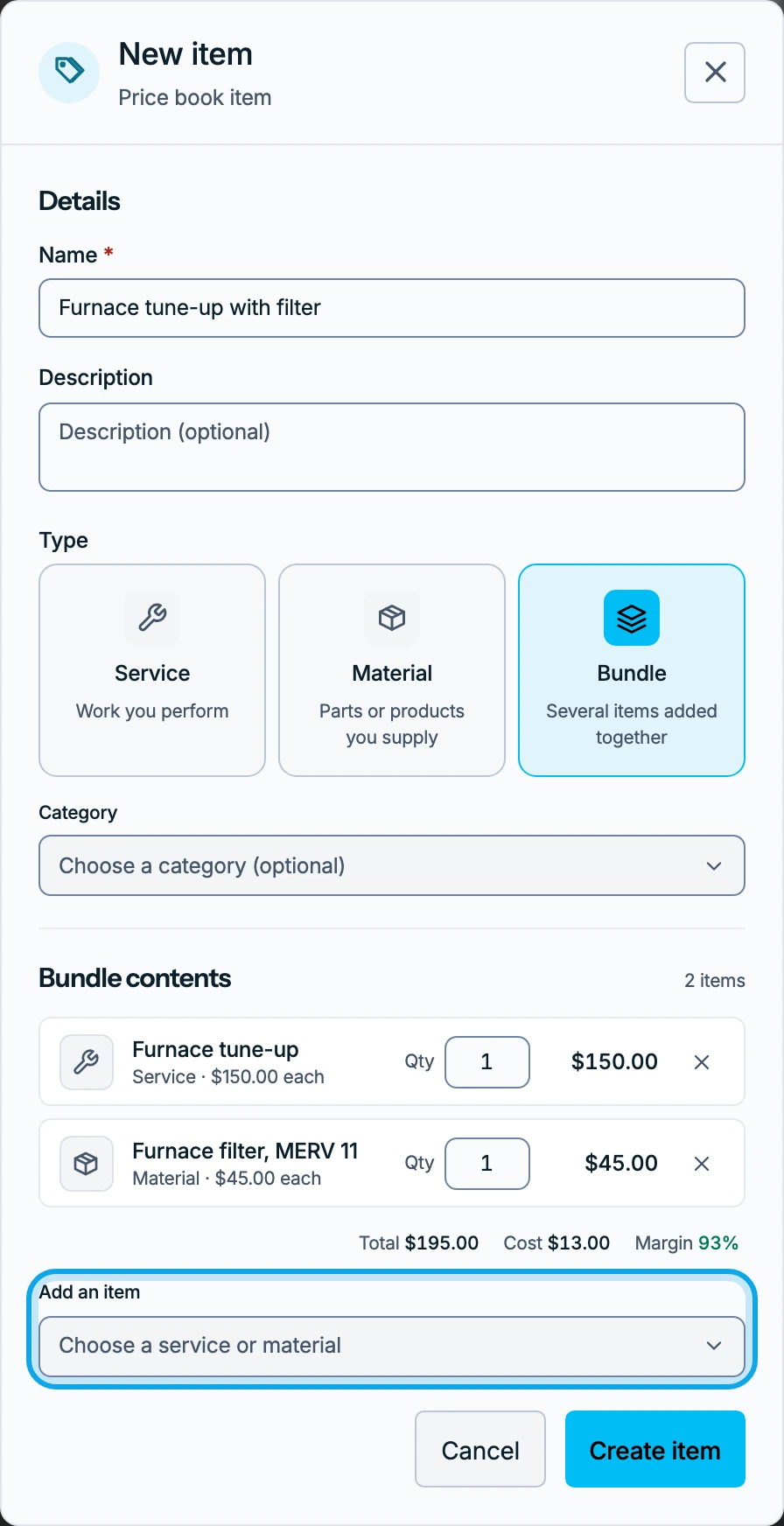
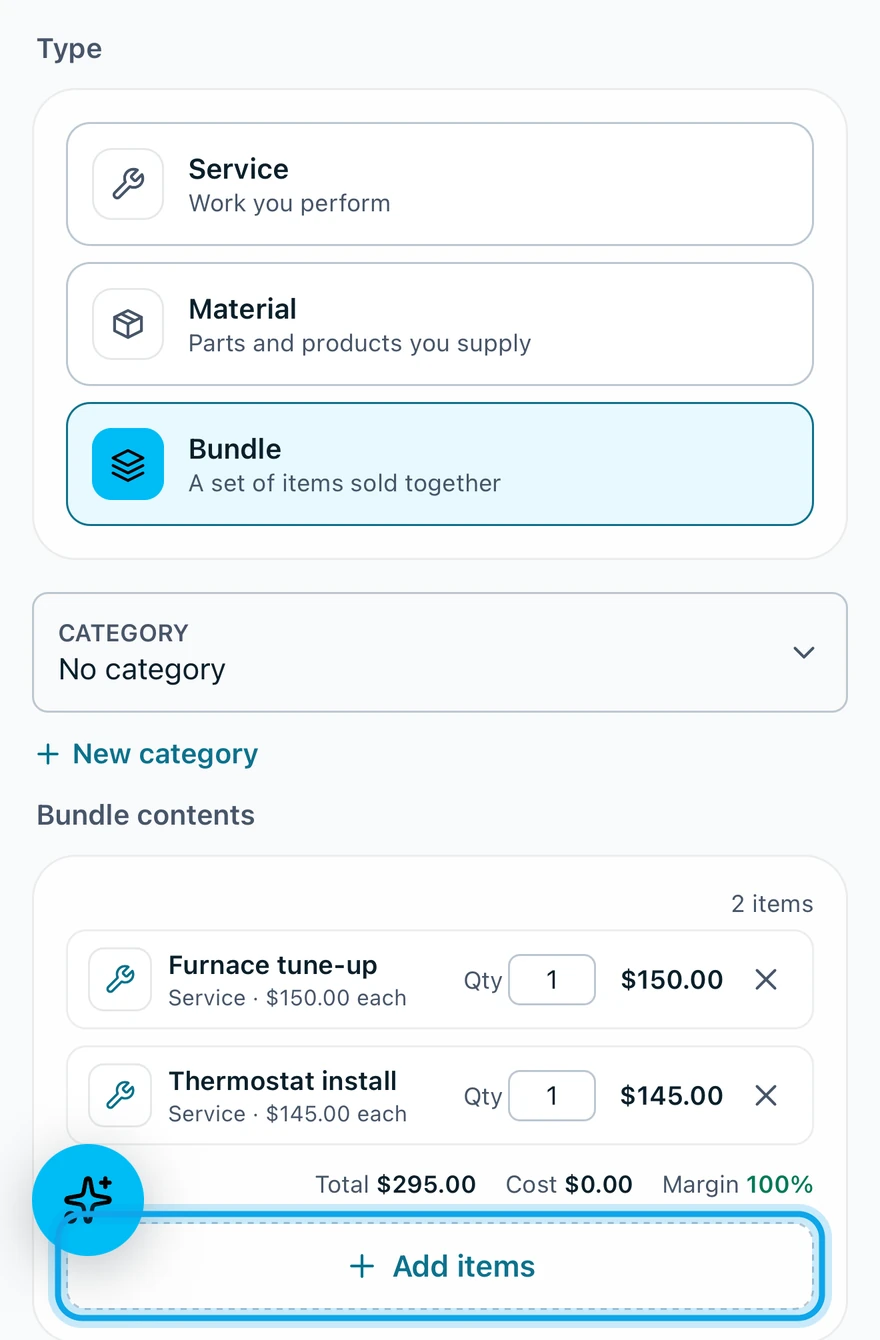
Make a bundle with Add item on your price book, then pick the services and materials it holds. Changing it later never changes estimates or invoices that already use it.
Build a bundle
On the web:
- Open Settings → Price book.
- Press Add item.
- Choose Bundle under Type.
- Enter the bundle's Name.
- Under Bundle contents, pick an item from Add an item.
- Set each item's Qty.
- Press Create item.
In the Zaras app:
- Open More → Settings → Price Book.
- Tap the + at the top right.
- Tap Bundle under Type.
- Enter the Item name.
- Tap Add items under Bundle contents.
- Tap each item you want.
- Tap the button at the bottom, such as "Add 2 items".
- Set each item's Qty, then tap Create item.
What you see
A message names the bundle, such as "Drain kit" added to price book. The bundle joins the list, and its Total adds up its items.
A bundle won't save
It says Bundle must contain at least one item. Add one under Bundle contents first.
Who can do this
It needs Manage financial settings, held by owners and admins by default. Others ask an owner or admin under Settings → Team & roles → Roles.