Get help from Zaras
To reach the Zaras team, send a ticket from Help & feedback. The team replies in that same ticket.
Send a ticket
- Open Help & feedback in the sidebar, or under More in the app.
- Press Create ticket at the top, or tap it in the app.
- Pick Report a bug, Request a feature or Ask a question.
- Pick the Related area.
- Fill in Subject and Details.
- Add up to three photos with Add photos, if they help.
- Press Send ticket, or tap it in the app.
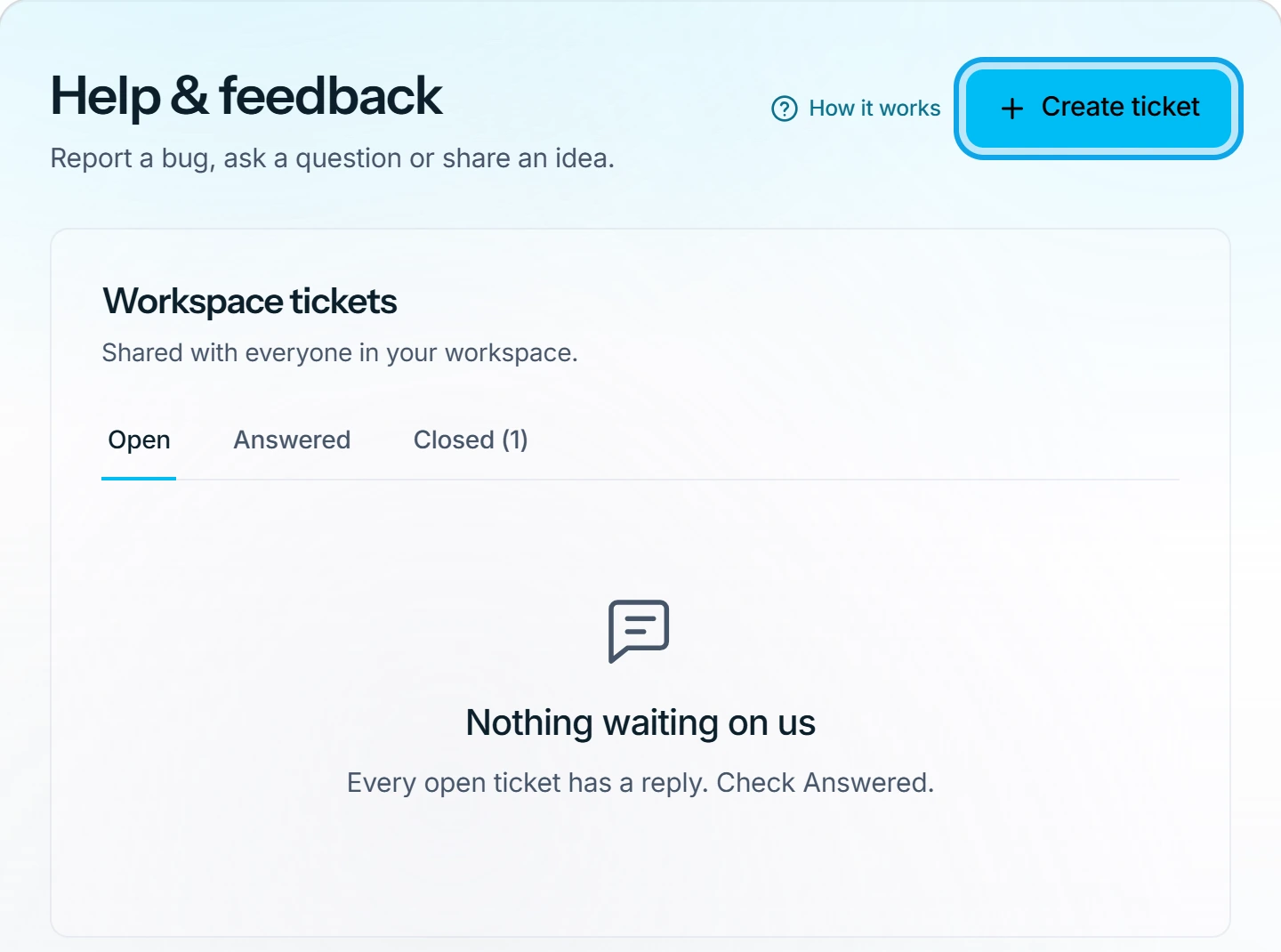
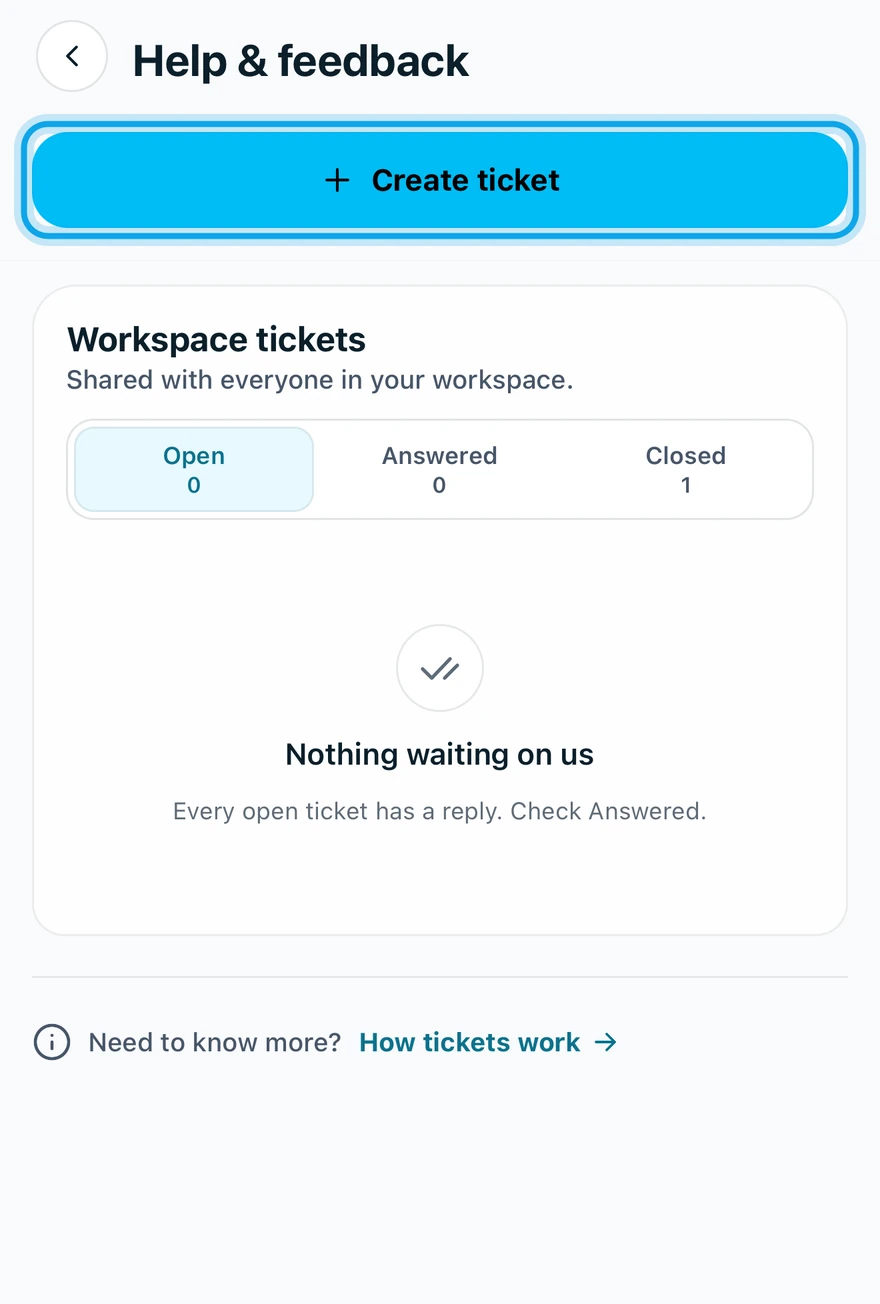
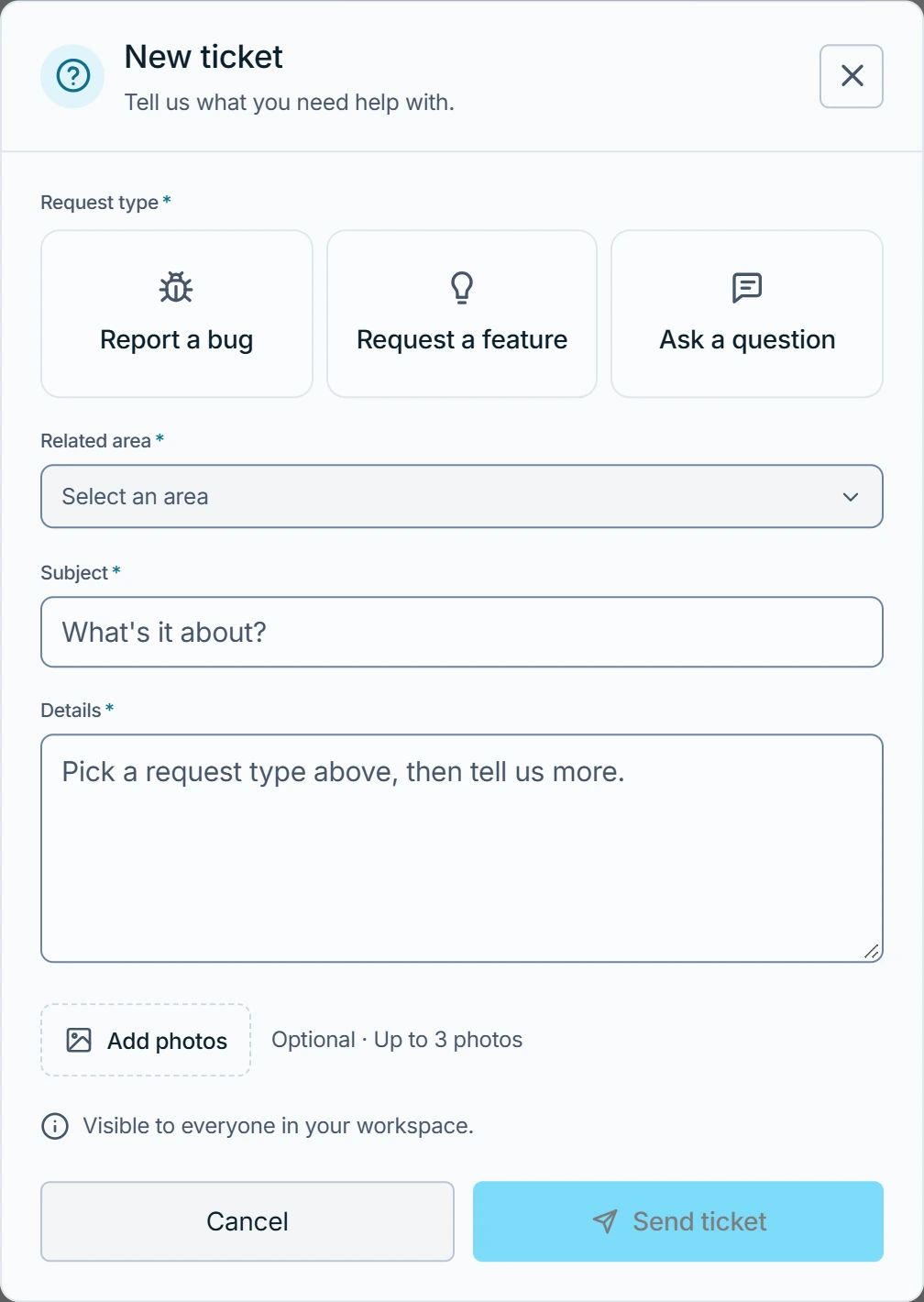
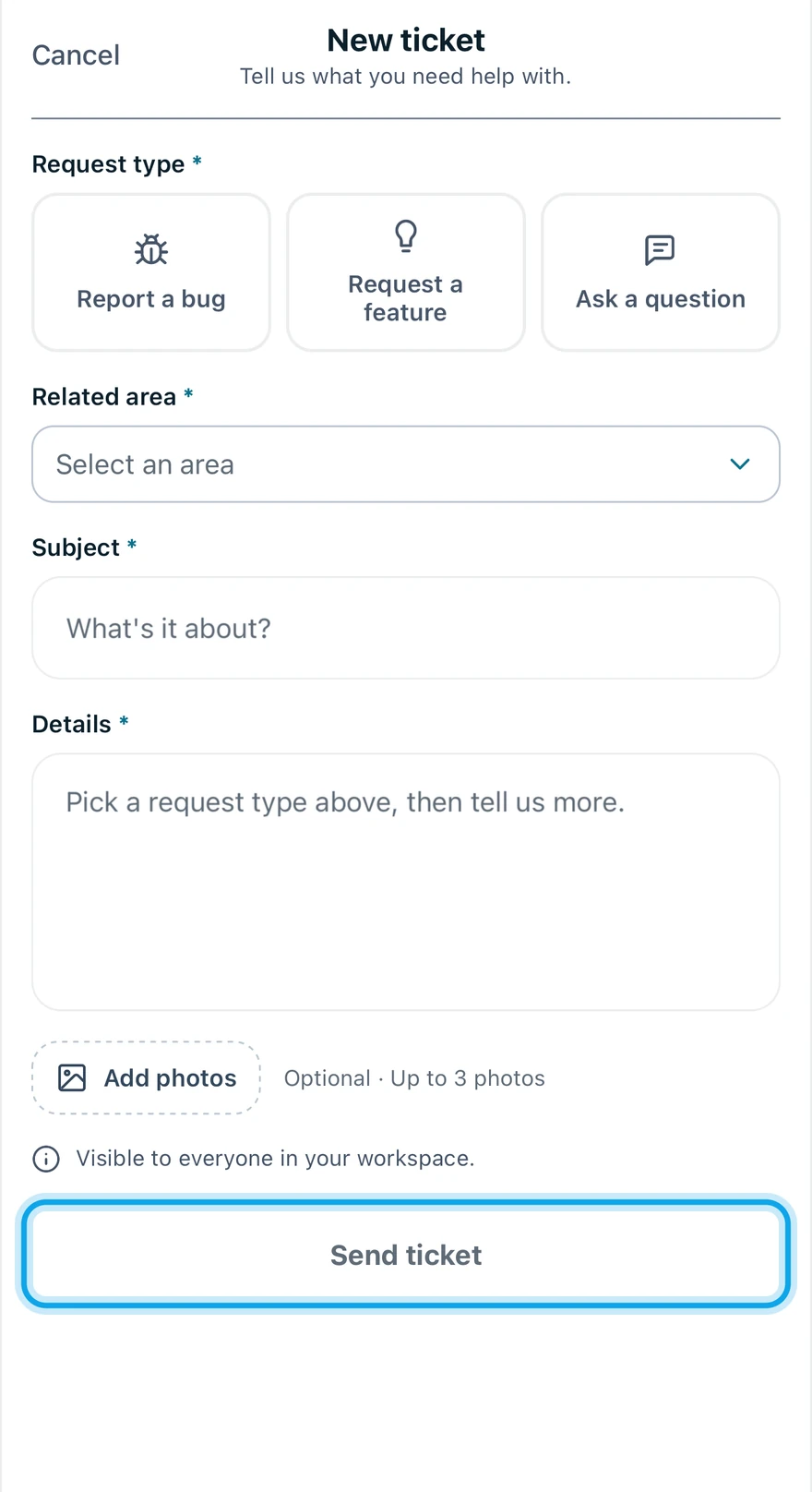
What you see
Ticket sent. We reply within 24 hours, seven days a week, here and by email. confirms it. Everyone in your workspace, technicians included, can read the ticket.
Where the reply shows up
The team replies inside the ticket, on the web and in the app. To read or answer it, see Where is the reply to my ticket?
After a crash in the Zaras app
When the Zaras app crashes, one tap on Send report files a bug ticket for you.
You can also ask Zaras Assistant to send the team a ticket in your name. See How Zaras Assistant works.
Other ways to reach Zaras
- The chat on the Zaras website ("Ask Zaras") and the phone line, (321) 321-2317, answer at any hour. Both are a virtual guide, not a person.
- Email support@zaras.ai for a reply from the Zaras team within 24 hours, seven days a week.
- zaras.ai/status runs live checks of Zaras from your browser. When the app won't load, see Is Zaras down?
Who can do this
Every member can send a ticket. No permission is needed.