Add line items to an estimate
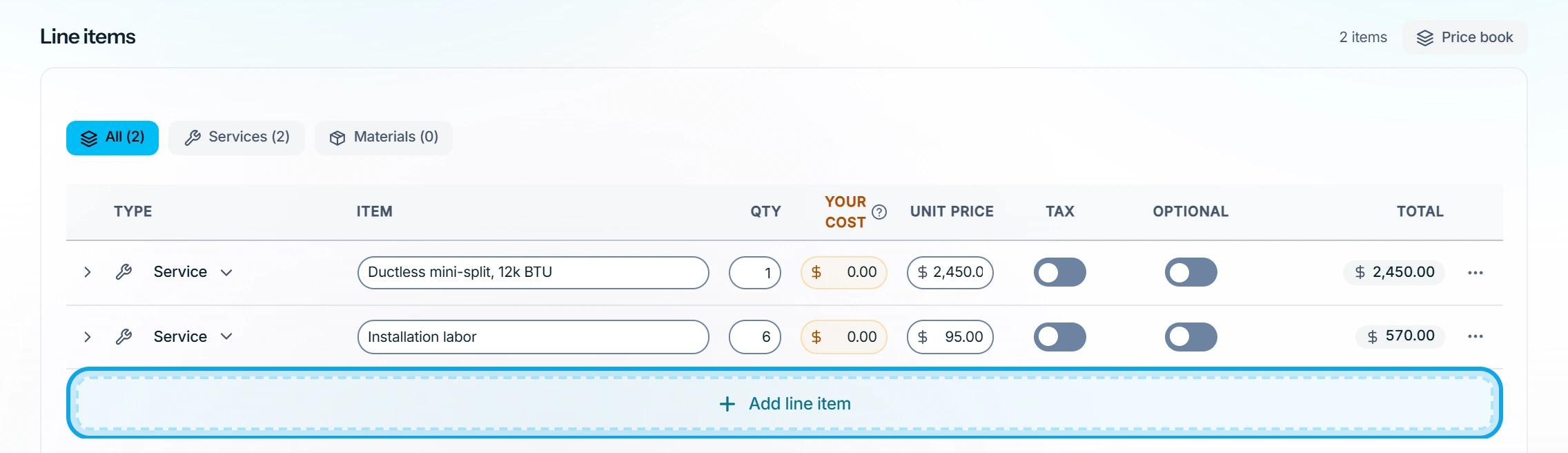
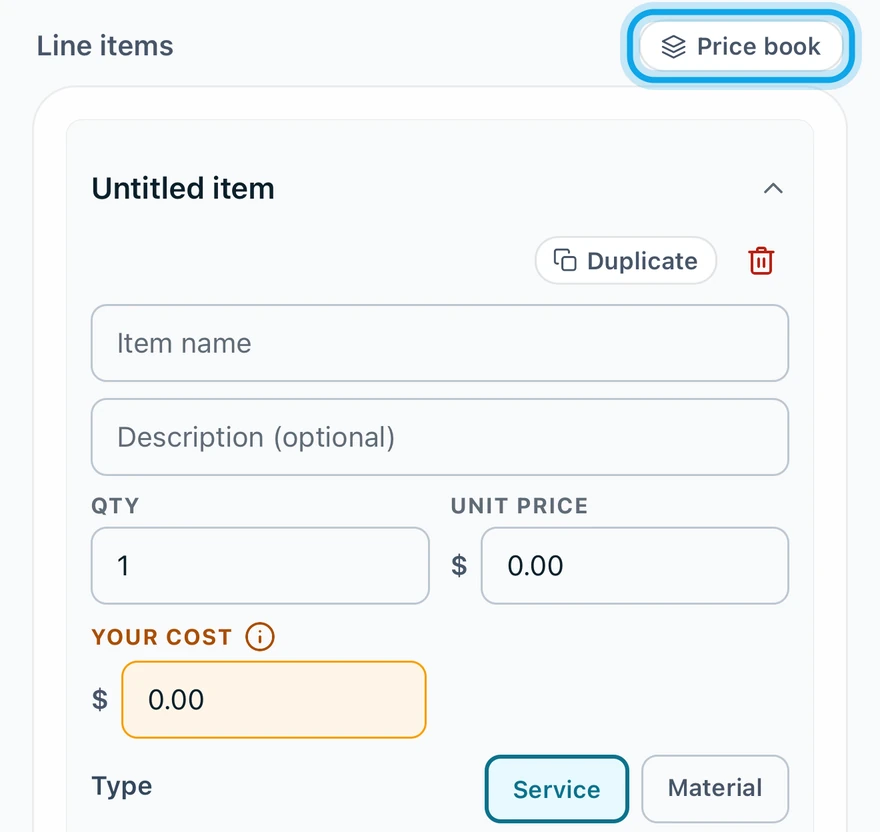
Press Add line item under Line items, or pull saved items from your price book. Nothing reaches the customer until you send the estimate.
Add a line item by hand
- Under Line items, press Add line item, or tap it in the Zaras app.
- Type the name, then the Qty and Unit price.
- Switch Taxable on or off.
Add items from the price book
- Press Browse price book on the web, or tap Price book in the app.
- Search, or filter Singles or Bundles.
- Click each item to put it in the Cart.
- Press the add button under the cart, such as "Add 3 line items".
Offer an add-on
- Switch on Optional on the row.
The add-on sits outside the Estimate total, and the form also shows Total with all options. The customer picks the add-ons they want when they approve.
What you see
Each row adds to the Estimate total. Your cost feeds your profit figures and never reaches the customer. Save to price book keeps a new row for next time.
Tax uses your workspace rate: set your default tax rate.
Who can do this
Line items need Manage estimates. Owners, admins, office and technicians hold it by default. Others ask an owner or admin under Settings → Team & roles → Roles.