Approve a timesheet entry
Approve or deny each entry from the Approval Queue under Timesheets. A denied technician sees your reason on their hours, and gets a Timesheet denied push when their Timesheets alerts are on.
Approve or deny an entry
- Open Timesheets, then Approval Queue.
- Find the entry under Needs review.
- Press the check-mark button on its row, or tap it and tap Approve in the app.
- To deny, press the X button on the row, or tap Deny in the app.
- Pick a reason under Select a reason, then press Deny entry.
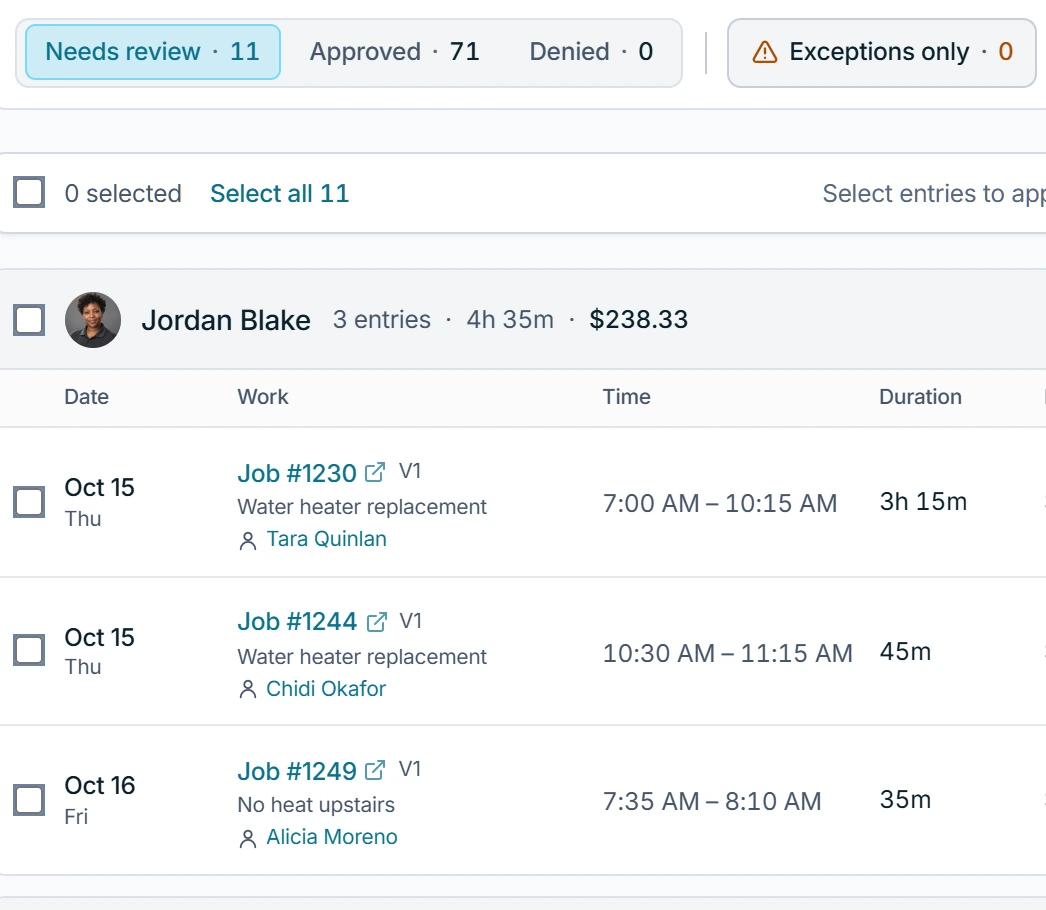
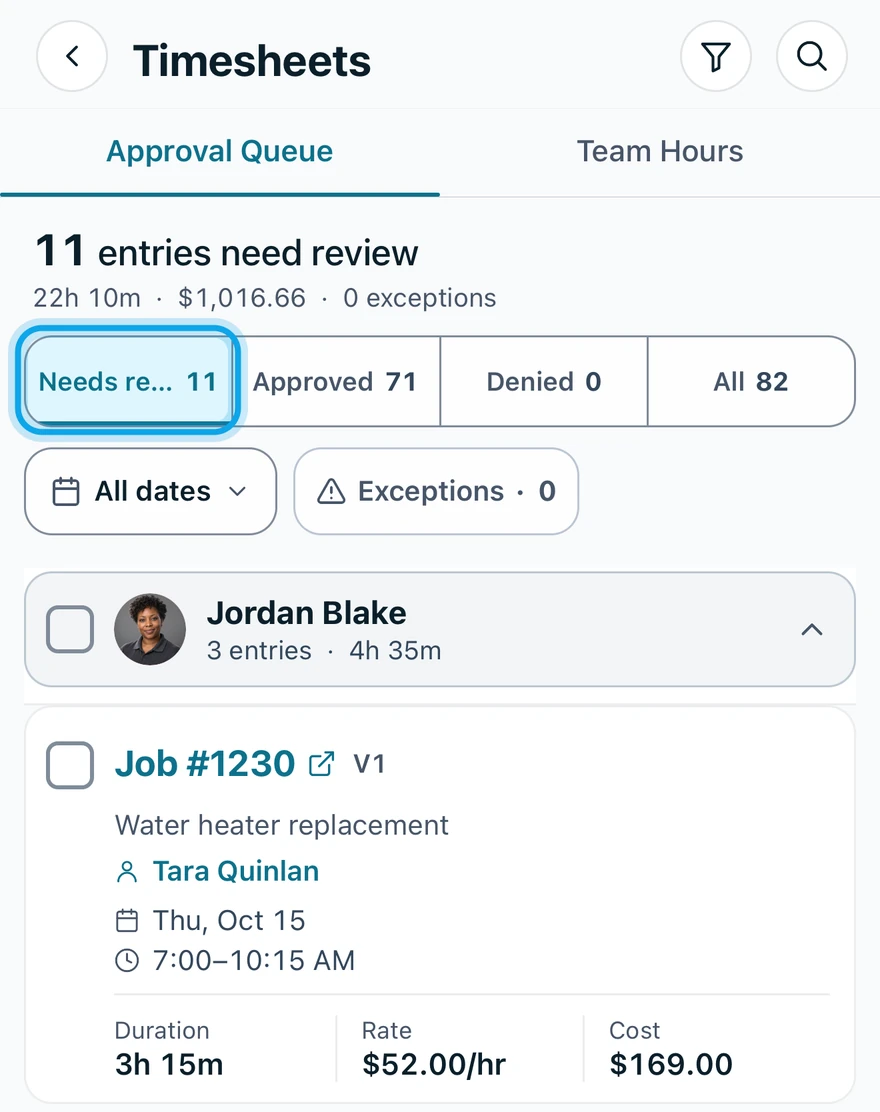
The reasons are Duplicate entry, Incorrect hours, Needs correction, Wrong job/estimate and Other. Select several for Approve selected, Deny selected (one reason for all) or Reopen selected.
What you see
The entry moves under Approved or Denied. Approved hours count in labor cost. Denied hours never do. Zaras is not payroll: approved hours are accepted time, not pay.
Change your mind
On the web, an approved row offers deny and reopen, and a denied row offers approve and reopen. In the app, tap Reopen entry first, then decide again. Reopening this entry clears the denial record.
Who can do this
Approving needs Approve timesheets: owners, admins and office by default. Without View cost & profit, rates and costs are hidden, never shown as zero.