Choose which emails Zaras sends you
Zaras sends you two kinds of optional email: setup emails in your first week, and, for owners and admins, an email when a customer answers an estimate. Account emails and emails about your work always arrive.
Turn setup emails off
- Open Settings → Preferences, on the web or in the Zaras app.
- Under Emails from Zaras, turn off Setup emails.
The link at the foot of a setup email does the same: it asks Stop setup emails?
Get estimate answers by email
- On the web, open Settings → Preferences. In the app, scroll to the foot of Notifications.
- Under Email notifications, turn on Estimate approved or declined.
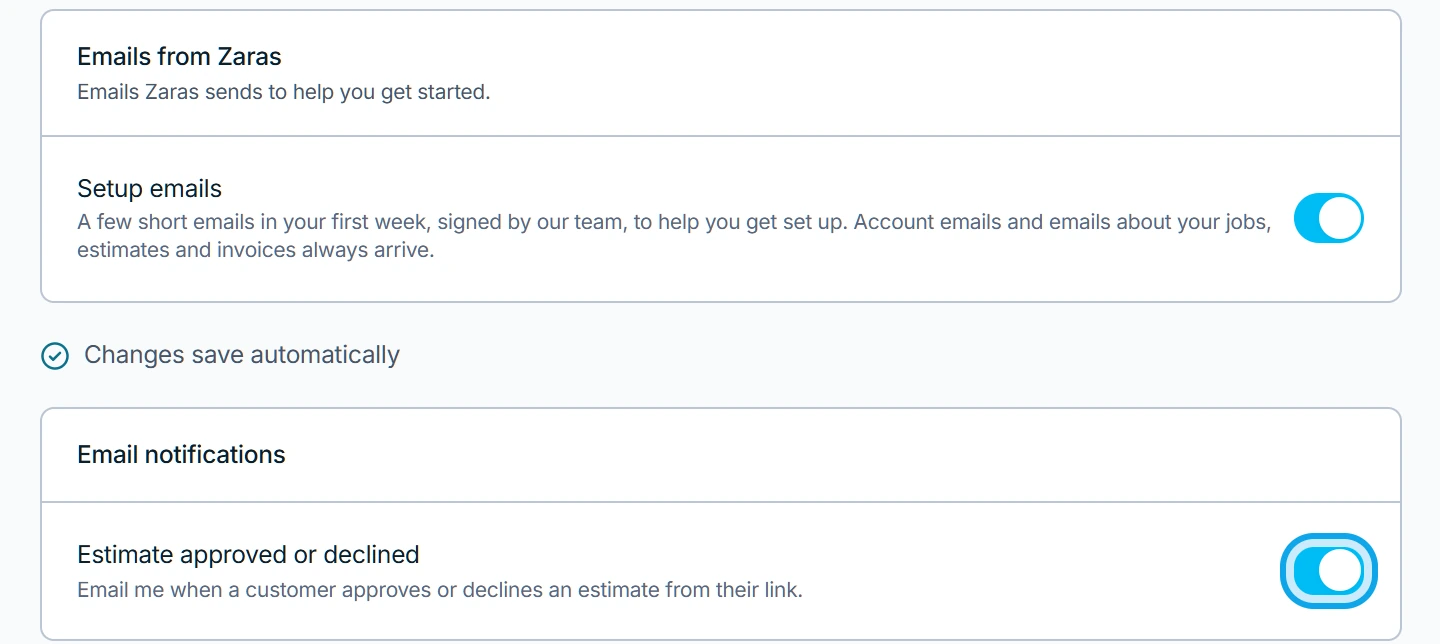
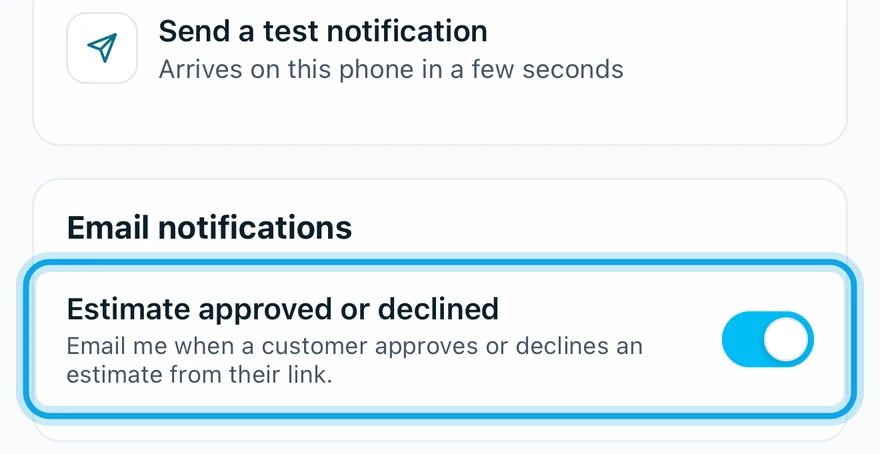
What you see
Each switch saves at once. Setup emails turned off confirms the first. Turning it off stops only those emails.
Email notifications is missing
Only owners and admins see the Email notifications card. Other roles get no estimate emails.
Who can do this
Every member chooses their own emails, with no permission needed.