Where do I see a job's cost and profit?
A job's profit sits under the total on its Work & pricing card. It reads Estimated profit on the web and Profit in the app, with the margin beside it.
Open the breakdown
- Open the job.
- Press Estimated profit under the total, or tap Profit in the app.
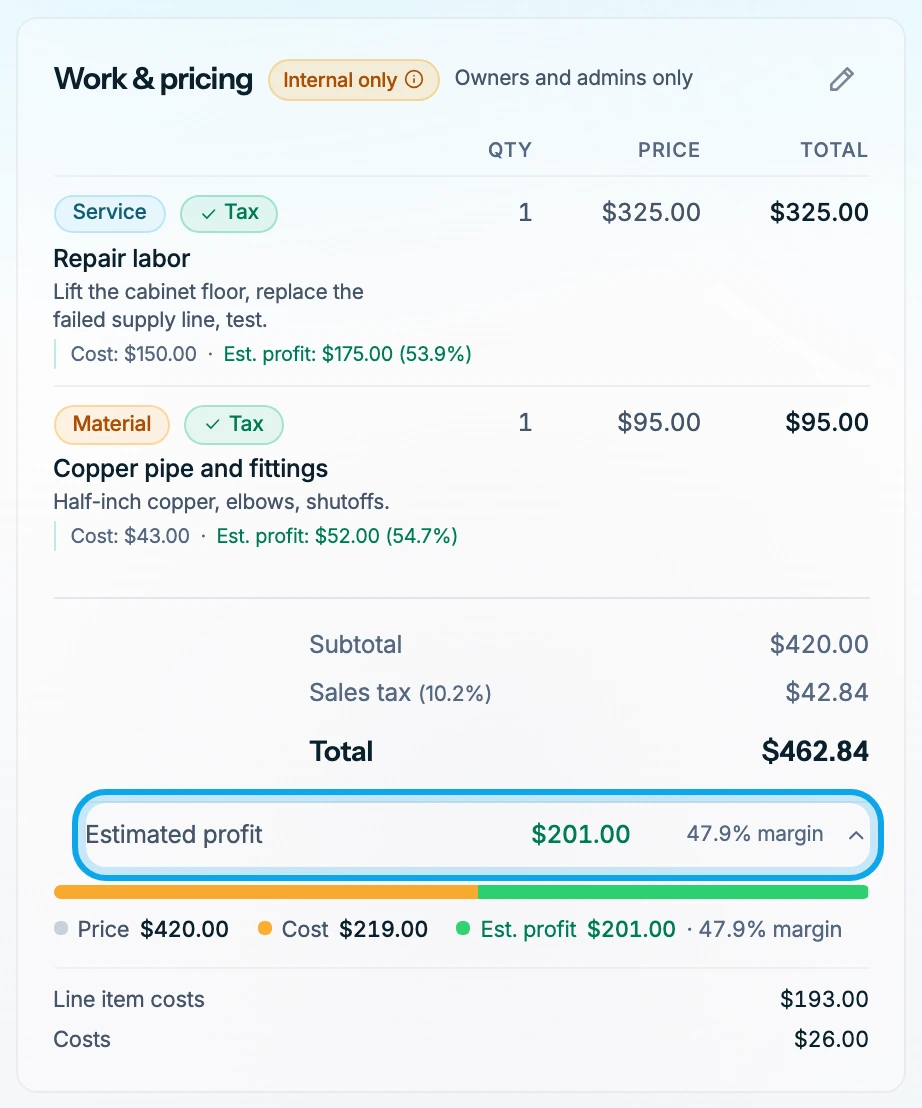
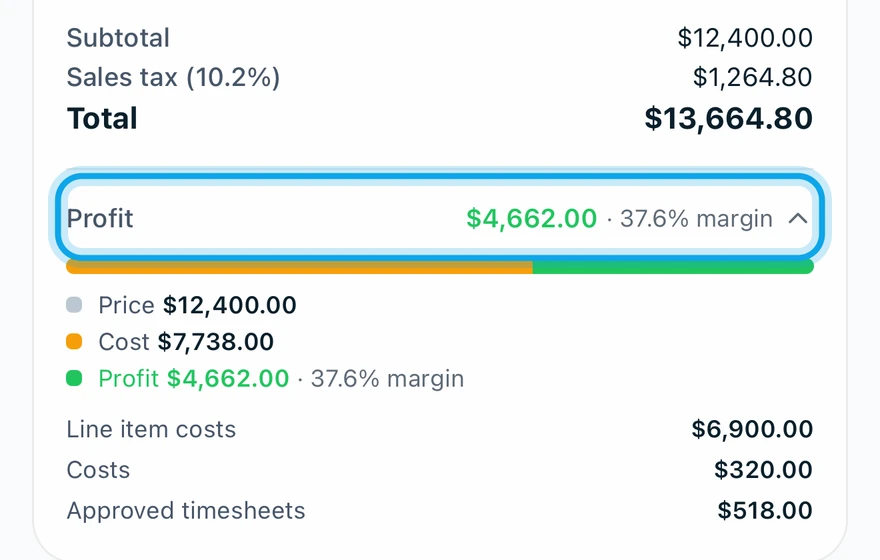
What you see
A bar compares the Price with the Cost, and the rows below list where the cost came from. A job that loses money reads Estimated loss on the web and Loss in the app.
What counts as cost
- Line item costs: the cost set on each line item.
- Costs: the expenses recorded on the job.
- Approved timesheets: labor hours at each member's rate, once approved.
Pending timesheets show apart and don't count until they are approved. Profit uses the price after any discount and before tax.
To add costs, record an expense or add labor hours.
Estimated profit is missing
It shows once the job has a line item. The breakdown opens once the job has costs, and until then the app says No costs recorded yet.
Who can do this
Cost and profit figures need View cost & profit. Owners and admins hold it by default. Office and technicians see the price and total only. To change that, ask an owner or admin under Settings → Team & roles → Roles.