Add a custom field
Add a custom field on Custom fields in Settings to capture what the standard fields miss, such as a permit number. Each field belongs to one record type and the whole workspace shares it.
Add a field
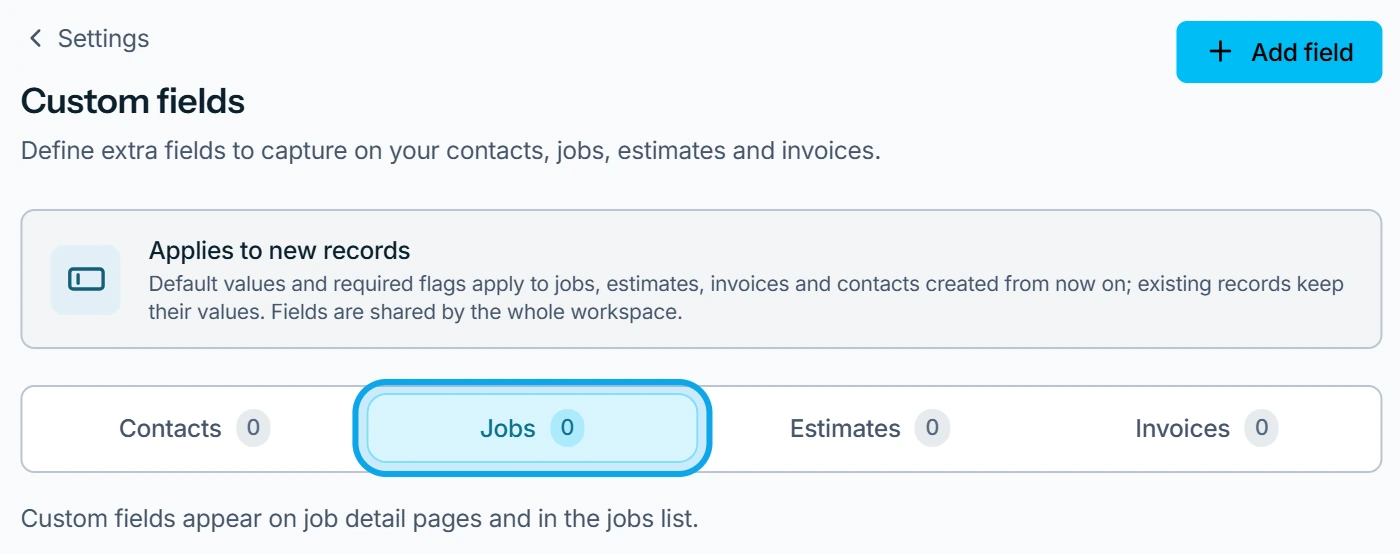
- Open Settings → Custom fields.
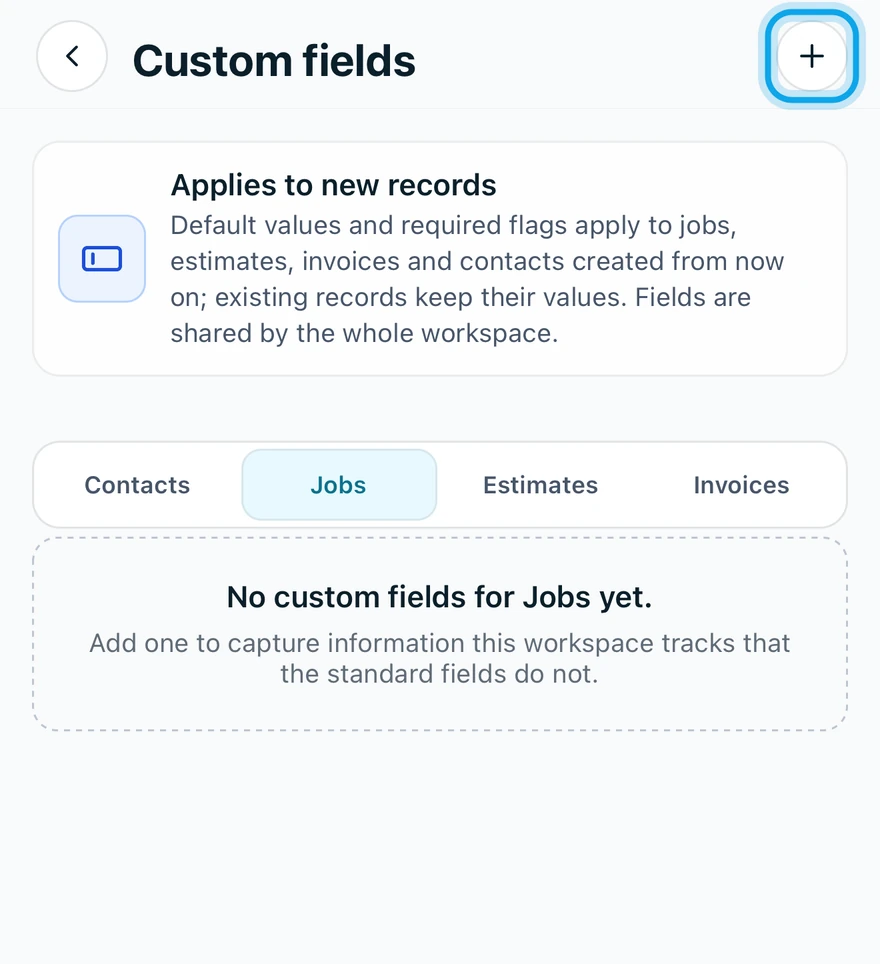
- Pick the record type: Contacts, Jobs, Estimates or Invoices.
- Press Add field on the web, or tap the + at the top right in the app.
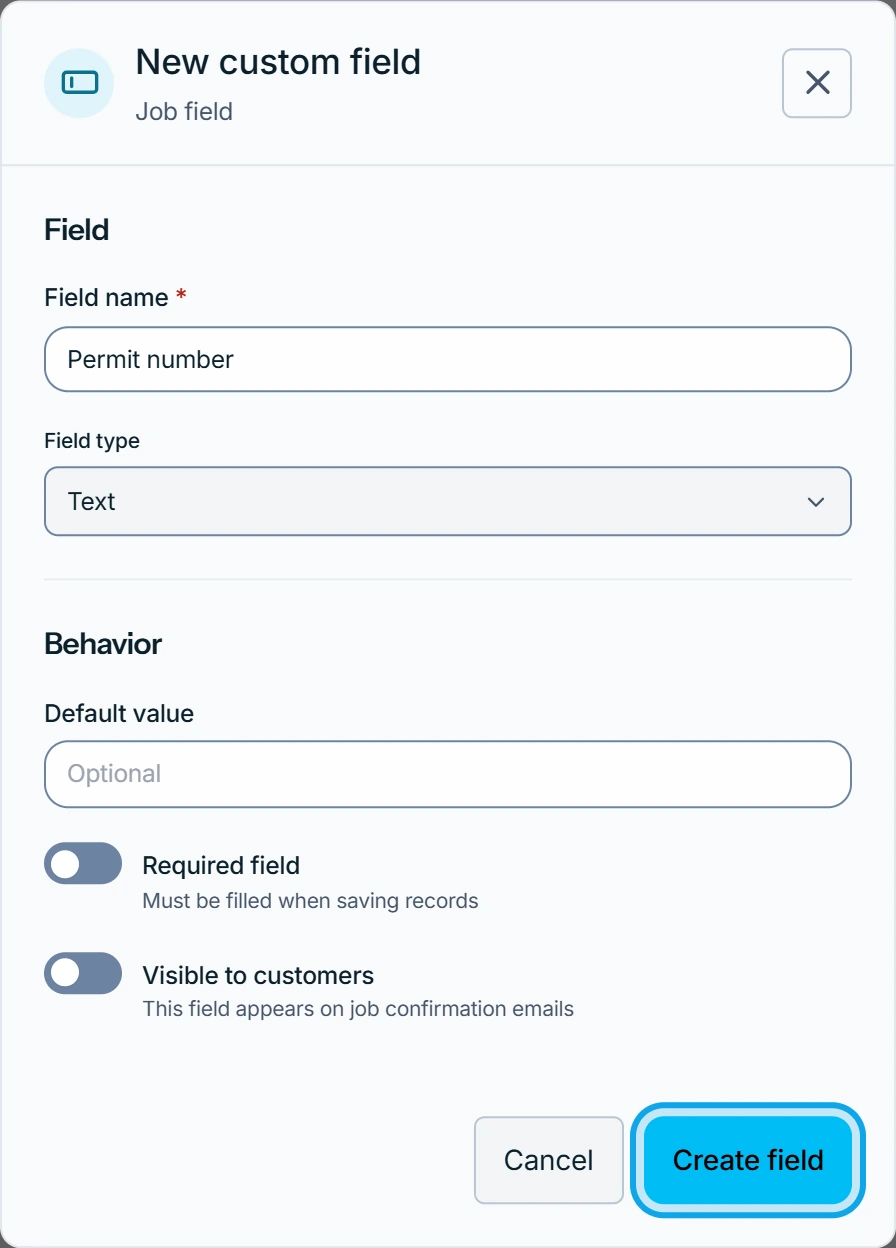
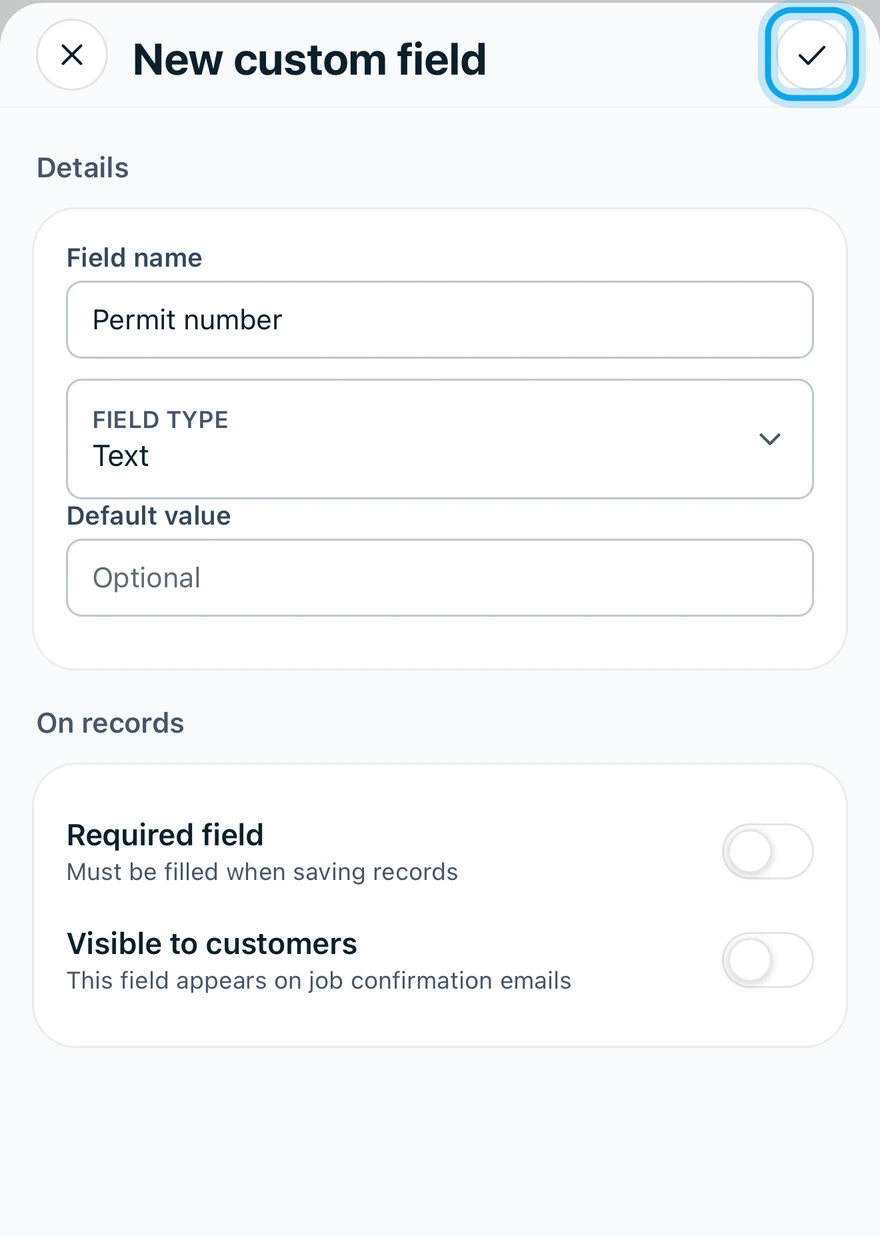
- Enter a Field name and choose the Field type.
- Optionally set a Default value or turn on Required field.
- Choose whether it is Visible to customers.
- Press Create field on the web, or tap Create custom field in the app.
What you see
The field joins the list and shows on every record of that type. The page carries Applies to new records: defaults and required flags apply to records created from now on.
The type is fixed once the field exists.
You can't add another field
A record type holds up to 20 active fields, on the web and in the app. Make one inactive to add another. A dropdown needs at least one option, each one different.
Who can do this
It needs Manage financial settings, held by owners and admins by default. Others ask an owner or admin under Settings → Team & roles → Roles.